
How to Choose the Right SaaS Tools for Your Small Business in 2026
Running a small business often means doing several jobs at once. You might be managing customers, preparing marketing campaigns, organizing projects, sending invoices, and keeping track of sales—all while trying to control your expenses.
The right software can make these tasks easier. But finding the right tools is not always straightforward. There are hundreds of business applications available, and many offer similar features, pricing plans, and promises.
Some tools can save hours every week, while others add unnecessary complexity to your workflow.
The goal is not to use as many software applications as possible. It is to find the ones that solve your actual problems, fit your budget, and work well with your existing systems.
In this guide, you will learn how to choose SaaS tools for your small business, compare important features, understand pricing, and avoid common mistakes before purchasing a subscription.
What Are SaaS Tools?
SaaS stands for Software as a Service. It refers to software that you typically access through the internet instead of installing and maintaining everything on your own computer or server.
Most SaaS products operate on a subscription model, although some offer free plans, usage-based pricing, or lifetime deals.
For example, businesses use cloud-based software to manage projects, communicate with customers, create marketing content, store files, and automate repetitive tasks.
Popular examples include Google Workspace, Canva, and HubSpot.
The main advantage is convenience. You can often access your work from different devices, collaborate with other people, and receive updates without managing the underlying infrastructure yourself.
However, every tool has its own limitations. Pricing, storage, integrations, security features, and user permissions can vary considerably between products.
That is why comparing your options before signing up is important.

1. Identify the Problem You Want to Solve
Before looking for software, identify the task that takes too much time or causes the most frustration in your business.
For example, you might struggle to keep track of customer inquiries, organize a growing list of projects, publish marketing content consistently, or manage email campaigns.
Each problem requires a different solution.
If your team regularly misses deadlines, project management software may help. If you are losing track of customer conversations, a customer relationship management platform could be more appropriate.
Similarly, businesses that spend too much time preparing social media graphics may benefit from a design tool.
Write down your three biggest operational problems before researching products. This simple step helps you avoid purchasing software just because it looks impressive.
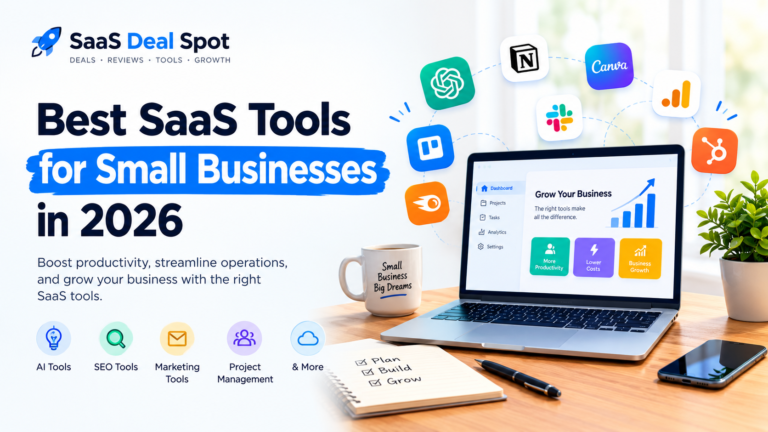
You can also explore our guide to the best SaaS tools for small businesses to discover software options for common business needs.
2. Choose Software That Fits Your Business Size
A tool that works well for a large company may be unnecessarily complicated for a freelancer or small business.
When comparing SaaS products, consider the size of your team, the number of customers you manage, and the complexity of your daily operations.
A freelancer might need a simple task manager and invoicing application. A marketing agency may require client workspaces, team permissions, reporting, and collaboration features.
Think about your future needs as well. If you expect your business to grow, check whether the software offers suitable upgrade options.
However, do not pay for advanced features simply because you might need them someday.
Start with a plan that supports your current workflow. Upgrade when your business has a clear reason to do so.
3. Compare Pricing Beyond the Monthly Subscription
Price is an important factor when choosing business software, but the lowest advertised price does not always represent the best value.
Some providers charge per user, while others limit projects, contacts, storage, monthly tasks, or advanced features.
A plan that appears affordable at first may become expensive as your business grows.
Before purchasing, check:
- The total monthly and annual cost.
- Whether the price changes after a promotional period.
- How many users or team members are included.
- Whether important features require a higher plan.
- Any usage limits, add-ons, or extra fees.
- The cancellation and refund policies.

For example, a $15 monthly subscription costs $180 over a year before taxes or additional fees. If you purchase five different tools at a similar price, your software expenses can quickly add up.
This is also why some business owners explore SaaS lifetime deals. These offers may provide access to a specific software license through a one-time payment rather than a recurring subscription.
However, lifetime deals are not automatically better. Check the license terms, included features, vendor reliability, support arrangements, and refund policy before making a decision.
You can read our Syncupp lifetime deal review to see how a software deal can be evaluated beyond its advertised price.
4. Look for Features You Will Actually Use
Software companies often promote long lists of features. In practice, you may only need a small portion of them.
Focus on features that solve your original problem.
If you are choosing project management software, you might need task assignments, deadlines, notifications, and a calendar view. Advanced reporting or complicated automation may be unnecessary for a small team.
For email marketing software, useful features might include contact management, email templates, campaign reporting, and automation.
Create a short checklist of essential features before comparing products. Then separate those requirements from features that would simply be nice to have.
This makes it easier to compare similar tools objectively.
It also prevents you from paying extra for capabilities that your team may never use.
5. Check Integrations With Your Existing Software
Your business probably already uses several applications. A new tool should work smoothly with the systems you rely on whenever possible.
For example, your email marketing platform may need to connect with your website, customer database, or online store. Your project management tool might need to send notifications to your team communication application.
Without suitable integrations, you may have to copy information manually between different platforms. That can waste time and increase the chance of mistakes.
Check the provider’s official integrations page before purchasing. If a direct integration is unavailable, see whether an automation service such as Zapier supports the connection you need.
Do not assume every integration works on every plan. Some providers restrict integrations to premium subscriptions, so confirm the details before committing.
6. Try Free Plans and Trials Before Buying
Whenever possible, test a software product before paying for it.
A free plan can help you understand the interface and determine whether the tool meets your needs. A trial may give you access to additional features for a limited period.
During testing, use realistic examples from your business.
Create a project, import a small sample of contacts, prepare a marketing campaign, or test the workflow your team would use every day.
Pay attention to how easy it is to complete common tasks. A tool with an extensive feature list may still be a poor choice if the interface is confusing or the setup takes too much time.
Also check the limitations of free plans. Some may restrict the number of users, projects, contacts, or monthly actions.
Before starting a trial, confirm whether a payment method is required and whether the subscription renews automatically.

7. Consider Security, Privacy, and Customer Support
Business software may store customer details, financial information, internal documents, and other sensitive data. Security should therefore be part of your selection process.
Look for appropriate access controls, multi-factor authentication, clear privacy policies, and information about how the provider handles and stores data.
Your requirements will depend on the type of information you collect and the regulations that apply to your business.
It is also worth checking the provider’s support options. Some companies offer email support, help centers, and community forums, while others provide live chat or priority assistance only on certain plans.
Read recent customer feedback to understand common complaints, but do not rely on reviews alone. Test the software yourself and verify important claims through official documentation.
For general guidance on protecting business systems, the Cybersecurity and Infrastructure Security Agency provides resources for organizations looking to improve their cybersecurity practices.
8. Use AI Tools Where They Make Sense
AI-powered software can help small businesses with content creation, brainstorming, research, customer communication, and repetitive workflows.
For example, an owner might use an AI assistant to outline a blog post, prepare a first draft of an email, or organize ideas for a marketing campaign.
Tools such as ChatGPT can be useful starting points, but their output still needs human review.
If you are exploring AI for business tasks, read our guide to free AI tools for small business beginners.
You can also learn practical examples in our article on how to use ChatGPT for marketing.
Before paying for an AI subscription, consider how frequently you will use it, whether the free version meets your needs, and whether it fits your existing workflow.
Avoid entering confidential business or customer information into a service unless you understand its data-handling practices and have permission to use that information.

9. Calculate the Real Value of a SaaS Tool
A software subscription is an investment, so it helps to consider what you receive in return.
Suppose a tool costs $30 per month and saves you three hours of work every month. If those saved hours are genuinely useful to your business, the subscription may justify its cost.
However, saving time is only one part of the calculation. You should also consider setup time, training, migration costs, usage limits, and any additional subscriptions required.
Ask yourself three questions:
- Does this tool solve a recurring problem?
- Will I or my team use it regularly?
- Is the time or money saved worth more than the total cost?
If the answers are unclear, test the product for a short period before making a long-term commitment.
The best software is not necessarily the one with the most features. It is the one that consistently helps your business work better.

Common Mistakes to Avoid When Choosing SaaS Tools
Even a useful product can become a poor investment if you choose it for the wrong reasons.
Here are several mistakes worth avoiding.
Buying too many tools at once: Start with your most important problem and add software gradually. Using too many overlapping applications can create extra work.
Choosing based on price alone: A cheap plan may lack a feature your business depends on. Compare the total cost with the practical value you receive.
Ignoring cancellation terms: Understand how to cancel, whether annual plans are refundable, and what happens to your data when you leave.
Overlooking the learning curve: Consider how long it will take you and your team to adopt the software.
Trusting every promotional claim: Verify features, discounts, and pricing on the provider’s official website before making a purchase.
Failing to review your subscriptions: Revisit your software expenses regularly. Cancel tools you no longer use and check whether existing products can replace overlapping subscriptions.
Final Thoughts
Choosing the right SaaS tools for your small business does not have to be complicated. Start by identifying your biggest challenges, setting a realistic budget, and listing the features you genuinely need.
Compare pricing carefully, check integrations, review security practices, and test the software before committing to a paid plan.
Remember that more software does not automatically mean better results. A few reliable tools that fit your workflow can be more useful than a large collection of subscriptions that you rarely use.
Take your time, evaluate each option based on your actual requirements, and choose software that supports the way your business operates.
At SaaS Deal Spot, our goal is to help readers explore software options, understand their value, and make more informed purchasing decisions. Browse our software reviews and guides to find tools that may suit your needs.
Disclosure: Some links on this website may be affiliate links. If you purchase through an eligible link, we may earn a commission at no additional cost to you. Always check the provider’s official website for the latest pricing, features, and terms before purchasing.