Yoya Lifetime Deal – AI Scheduling Assistant for Meetings
Short answer: Yoya is an AI scheduling assistant that chats with your guests, books the meeting, and hands you a brief before the call — for a one-time payment of $49 on AppSumo. We verified the deal live on AppSumo on November 7, 2026: Yoya is still available, rated 4.00 out of 5 from 1 review. If you spend your days going back and forth over meeting times, this is the kind of tool that quietly gives you those hours back.
In this Yoya lifetime deal review, we break down what Yoya does, how it works, what each pricing tier includes, and whether it is a smart buy for you.
What Is Yoya?
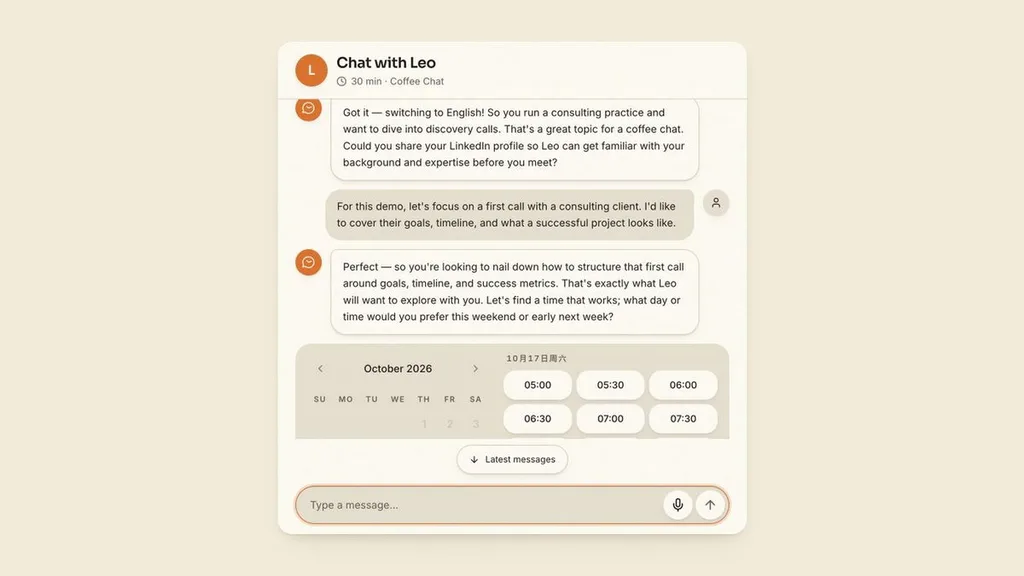
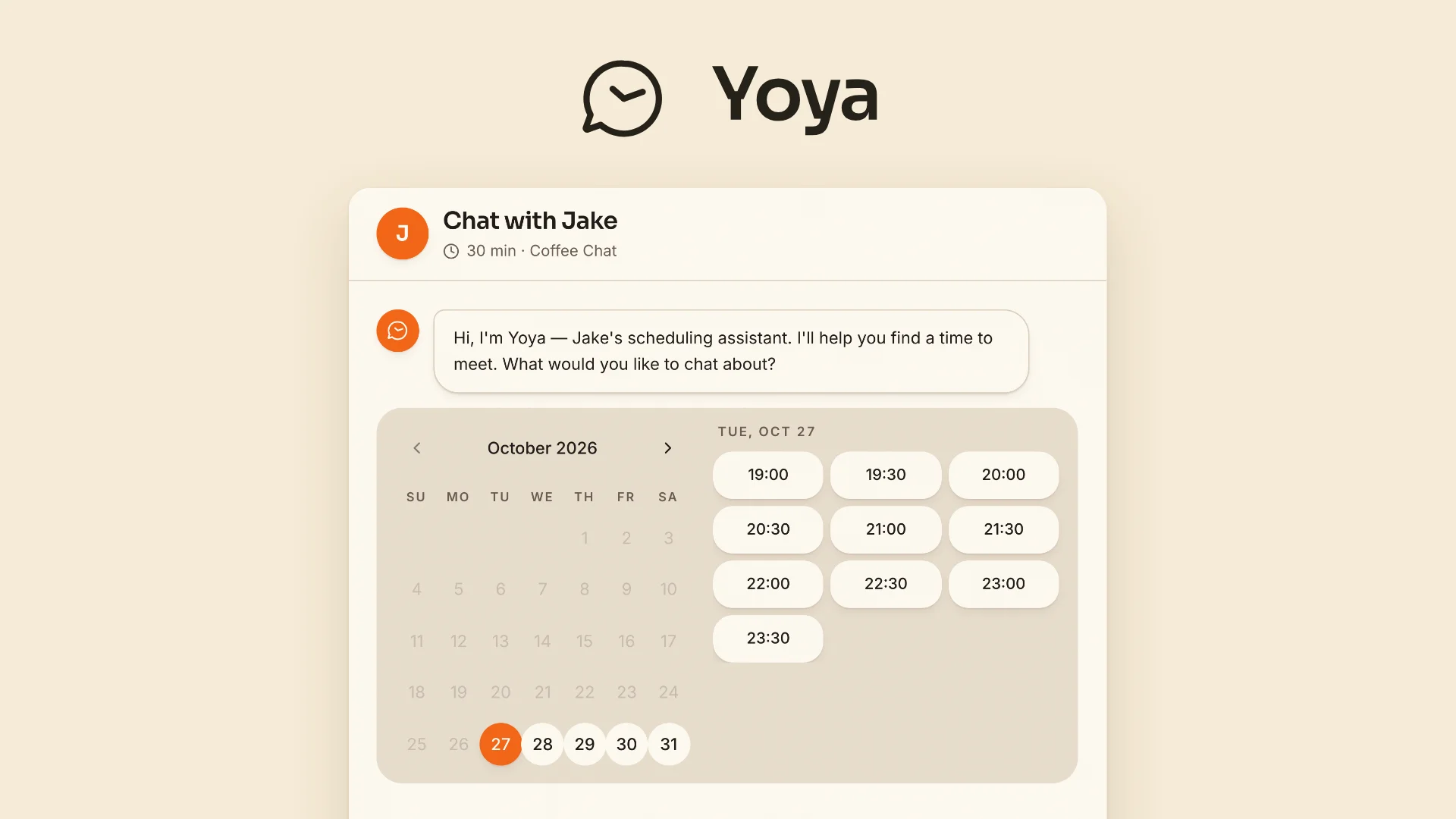
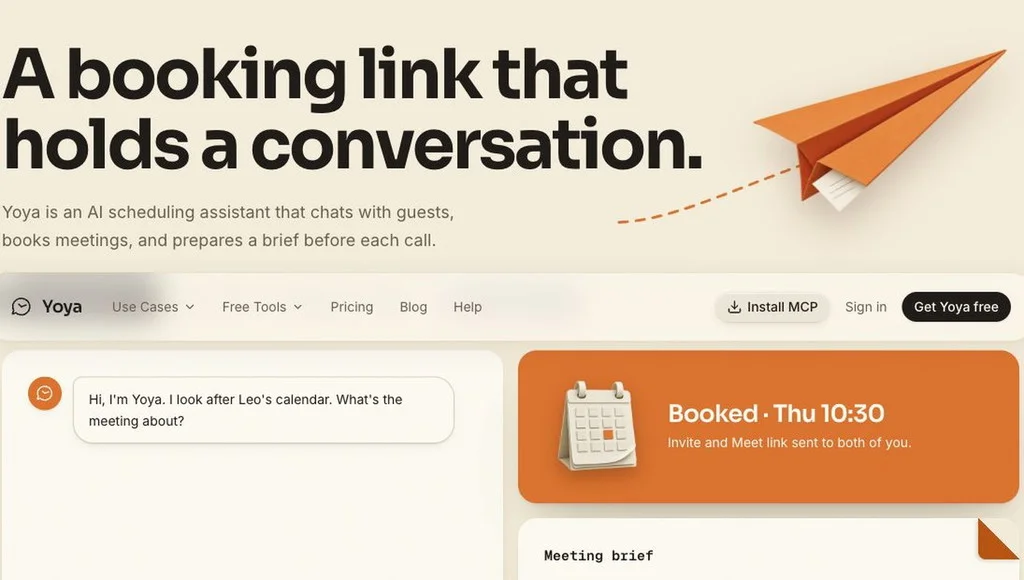
Yoya is an AI scheduling assistant that turns a booking link into a conversation. Instead of sending someone a calendar grid and hoping they pick a slot, you share your Yoya link and your guest chats with Yoya: they explain what the meeting is about, find a time that works, and confirm the booking in one place. Their answers become a meeting brief you can read before you join the call.
Yoya was built around a simple gap in the booking process: a name and a time slot rarely explain what someone actually wants from the call. For consultants, coaches, and sales hosts, the first few minutes of a call often go to gathering context that could have been shared earlier. Yoya moves that conversation into the booking itself, so you show up prepared.
One thing to be clear about: Yoya is a scheduling tool, not a project management tool. It does not manage tasks, projects, or time tracking. It does one job — getting the right people into a meeting with the right context — and it does that job with a conversation.
How Yoya Works
Getting started with Yoya follows a simple, practical flow:
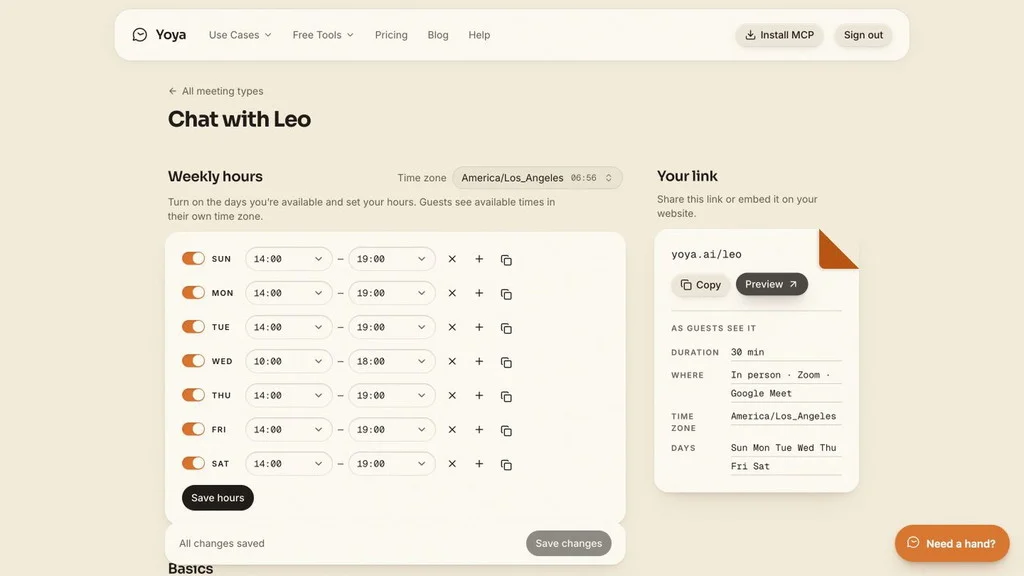
- Create your booking links and set your weekly hours. Pick the days and times you are available, your timezone, the meeting length, and where the meeting happens — in person, on Zoom, or on Google Meet.
- Share your link. Your link looks like yoya.ai/yourname. Put it on your website, in your email signature, or in your social profiles, next to the rest of your content. Guests open it without creating a Yoya account.
- Your guest chats with Yoya. They explain what the meeting is about, in their own language, by text or by voice, and pick a time that works for them.
- Yoya checks your calendar and books the slot. It checks Google Calendar for conflicts, books the meeting, and sends the invite and the Meet link to both of you.
- Read your brief before the call. Before you join, Yoya gives you a short brief: who the guest is, what they want, and the questions they raised while booking.
Key Features
1. An AI Booking Conversation, Not Just a Calendar Grid
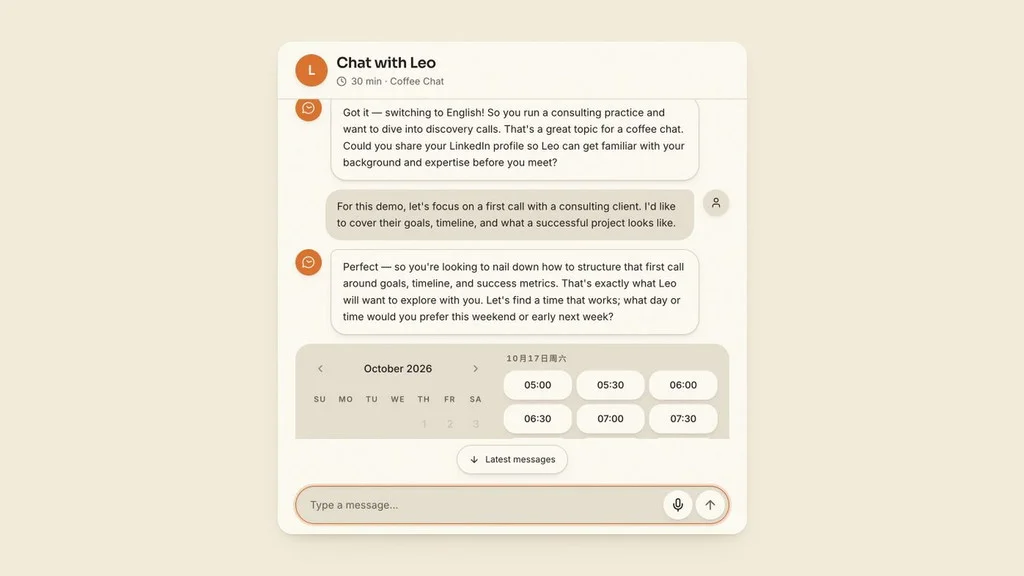
Most scheduling tools show a grid of empty slots. Yoya holds a conversation instead. Your guest tells Yoya what the meeting is about, Yoya asks the right follow-up questions, and together they find a time. Guests can type or use voice booking, and the conversation works in your guest’s own language — Yoya picks it up from their browser and switches if they switch.
2. A Meeting Brief Before Every Call
After booking, Yoya turns the guest’s answers into a brief: who they are, what they want from the call, and the background they shared. You read it before you join, so the first five minutes of the call are not spent on introductions. One honest note: the brief is built from the booking conversation. Yoya does not record or transcribe the meeting itself.
3. Booking Links, Weekly Hours, and Your Own Page
You control exactly when people can book. Turn days on or off, set your hours per day, pick your timezone, and share one link per meeting type — a 30-minute coffee chat, a sales call, a consultation. Guests see your available times in their own timezone, so nobody has to do timezone math in an email thread.
4. LinkedIn Summaries, Transcript History, and Team Scheduling on Higher Tiers
Tier 2 and above add the features that make Yoya feel like a real assistant. When a guest shares their LinkedIn profile in the chat, Yoya adds a short background summary to the brief, so you know who you are meeting before the call. You can also revisit past booking conversations with saved transcript history — unlimited on Tier 2 and above. Tier 3 adds round-robin and collective scheduling for teams, plus payment collection right on the booking page, so you can charge for a consultation without a separate tool.
Yoya Pricing — Lifetime Deal Tiers
Prices below were verified live on AppSumo on November 7, 2026. AppSumo prices can change, so check the live listing before you buy.
| Tier | One-time price | What you get |
|---|---|---|
| Tier 1 | $49 (was $588) | 5 booking links, 100 bookings per month, 60 voice minutes per month, 30 days transcript history |
| Tier 2 | $129 (was $1,548) | 10 booking links, 500 bookings per month, 180 voice minutes per month, unlimited transcript history, Google Meet + Zoom on the same link, LinkedIn profile summary, join Meet without admission, Yoya branding removed |
| Tier 3 | $249 (was $2,988) | Unlimited booking links, unlimited bookings per month, 400 voice minutes per month, unlimited transcript history, everything in Tier 2, plus round-robin and collective scheduling, and payment on the platform |
All tiers are one-time payments on AppSumo, not monthly subscriptions. Monthly allowances reset each month, and text chat does not use up your voice minutes. The deal comes with AppSumo’s 60-day money-back guarantee.
Is Yoya Worth It?
At $49, the Starter tier is easy to justify if you take even a handful of calls a month. A single month of most scheduling subscriptions costs a good part of that, and Yoya’s brief alone saves you the first five minutes of every call. If you book calls every day, Tier 2 is the sweet spot: the LinkedIn summaries, unlimited transcript history, and 500 bookings a month cover a busy calendar, and removing Yoya branding keeps your booking page looking like yours. Tier 3 only makes sense if you schedule as a team or you want to take payments for bookings.
That said, value depends on fit. Yoya is strongest for people whose work runs on conversations — consultants, coaches, sales hosts, and freelancers. If you only book a call once in a while, even $49 may sit unused. And if you need meeting recording or a full project workspace, Yoya is not that tool.
Pros and Cons
Pros
- AI chat booking by text or voice — guests explain what they want before the call
- A meeting brief before every call, so you show up prepared
- Guests need no account to book
- Works in your guest’s language, with times shown in their timezone
- Google Calendar conflict checking, Google Meet and Zoom, plus in-person meetings
- AI assistants can book through your public page (MCP-compatible)
- One-time payment on AppSumo, with a 60-day money-back guarantee
Cons
- Only 1 AppSumo review so far (4.00 out of 5) — it is still early days for this deal
- Voice minutes are capped per tier each month
- Transcript history is only 30 days on Tier 1
- Round-robin scheduling and payments need the $249 Tier 3
- Yoya does not record or transcribe the meeting itself
Who Should Buy Yoya?
Yoya fits you if your work runs on calls: consultants, coaches, sales hosts, freelancers, and founders who book discovery calls, consultations, or interviews every week. It also fits small teams that want one shared booking flow without a monthly subscription.
Yoya is not for you if you are looking for project management, task tracking, or meeting recording — it does none of those. If you only need a simple scheduling page without the AI conversation, a lighter tool like zcal may suit you better; see our zcal review for that side of the choice.
Yoya vs Other Scheduling Tools
The well-known alternatives, like Calendly and Cal.com, book meetings by showing a grid of open slots. Yoya books by holding a conversation first. That is the whole difference: with Yoya you learn what the meeting is about before it starts, and you get a brief to prove it. The others do not write you a brief, and they do not let guests book by voice. What they do offer is maturity — years of integrations and millions of users — while Yoya is a newer product with one AppSumo review so far. If the conversation and the brief matter more to you than a long track record, Yoya’s one-time price is hard to beat.
Frequently Asked Questions
1. What is Yoya?
Yoya is an AI scheduling assistant. It chats with your guests, finds a time that works, books the meeting, and prepares a short brief from what the guest shared — so you know who you are meeting and what they want before the call.
2. Is Yoya still available on AppSumo?
Yes. We verified it live on AppSumo on November 7, 2026: Yoya is in stock, starting at $49 one time.
3. How much does Yoya cost?
On AppSumo, Yoya costs $49 for Tier 1, $129 for Tier 2, and $249 for Tier 3 — each a one-time payment, not a subscription. Higher tiers add more booking links, bookings, and voice minutes, plus LinkedIn summaries, unlimited transcript history, and, on Tier 3, team scheduling and payments.
4. What is Yoya’s AppSumo rating?
Yoya is rated 4.00 out of 5 from 1 review on AppSumo, verified live on November 7, 2026.
5. Does Yoya record or transcribe my meetings?
No. The meeting brief is built from what the guest shares during booking. Yoya does not record or transcribe the meeting itself.
6. Can guests book by voice?
Yes. Guests can type or use voice booking, within your tier’s monthly voice minutes. Text chat does not use up voice minutes, and monthly allowances reset each month.
7. What is the meeting brief?
The brief is a short summary of the booking conversation: who the guest is, what they want from the call, and the questions they raised. On Tier 2 and above, it can also include a LinkedIn background summary when the guest shares their profile.
8. Does Yoya work with Google Calendar and Zoom?
Yes. Yoya connects to Google Calendar to check for conflicts, and you can meet on Google Meet, on Zoom, or in person. From Tier 2, Google Meet and Zoom can both sit on the same booking link.
9. Is Yoya a project management tool?
No. Yoya schedules meetings. It does not manage tasks, projects, or time tracking. If you need a project workspace, Yoya is the wrong tool — but if your problem is the back-and-forth of booking calls, it is exactly the right one.
10. Should I buy Yoya before the deal ends?
If you take regular calls and the $49 Starter tier covers your volume — 5 booking links and 100 bookings a month — it is an easy yes, and the 60-day money-back guarantee gives you room to try it properly. AppSumo deals can end without much warning, so if it fits, do not wait too long.
Final Verdict
Yoya is a small, focused tool that solves a real annoyance: the endless back-and-forth of booking a call. The AI conversation and the meeting brief are genuinely useful, not gimmicks — they give you context before you join, and that context is worth money if you live on calls. At $49 one time, the Starter tier is a low-risk way to try it, and the 60-day guarantee removes most of the downside. The one honest caveat is that Yoya is new on AppSumo, with a single review so far. If you want a proven scheduling giant, look elsewhere. If you want a smarter booking link at a one-time price, grab Yoya on AppSumo while the deal is live. If Yoya is not right for you, see our best AppSumo alternatives for other one-time deals worth a look.
Affiliate Disclosure: This post contains affiliate links. If you buy through them, we may earn a commission at no extra cost to you. We only recommend products we believe are worth your time.