Flatsome WooCommerce Theme Review
Every WooCommerce store owner faces the same question sooner or later: which WordPress theme will make my store look professional, load fast, and actually help me sell more? A theme that looks good but loads slowly will cost you customers. A theme that is fast but hard to customize will cost you time. This Flatsome WooCommerce theme review looks at the theme that has sold more copies to store owners than almost any other, and asks whether it still deserves that lead in 2026.
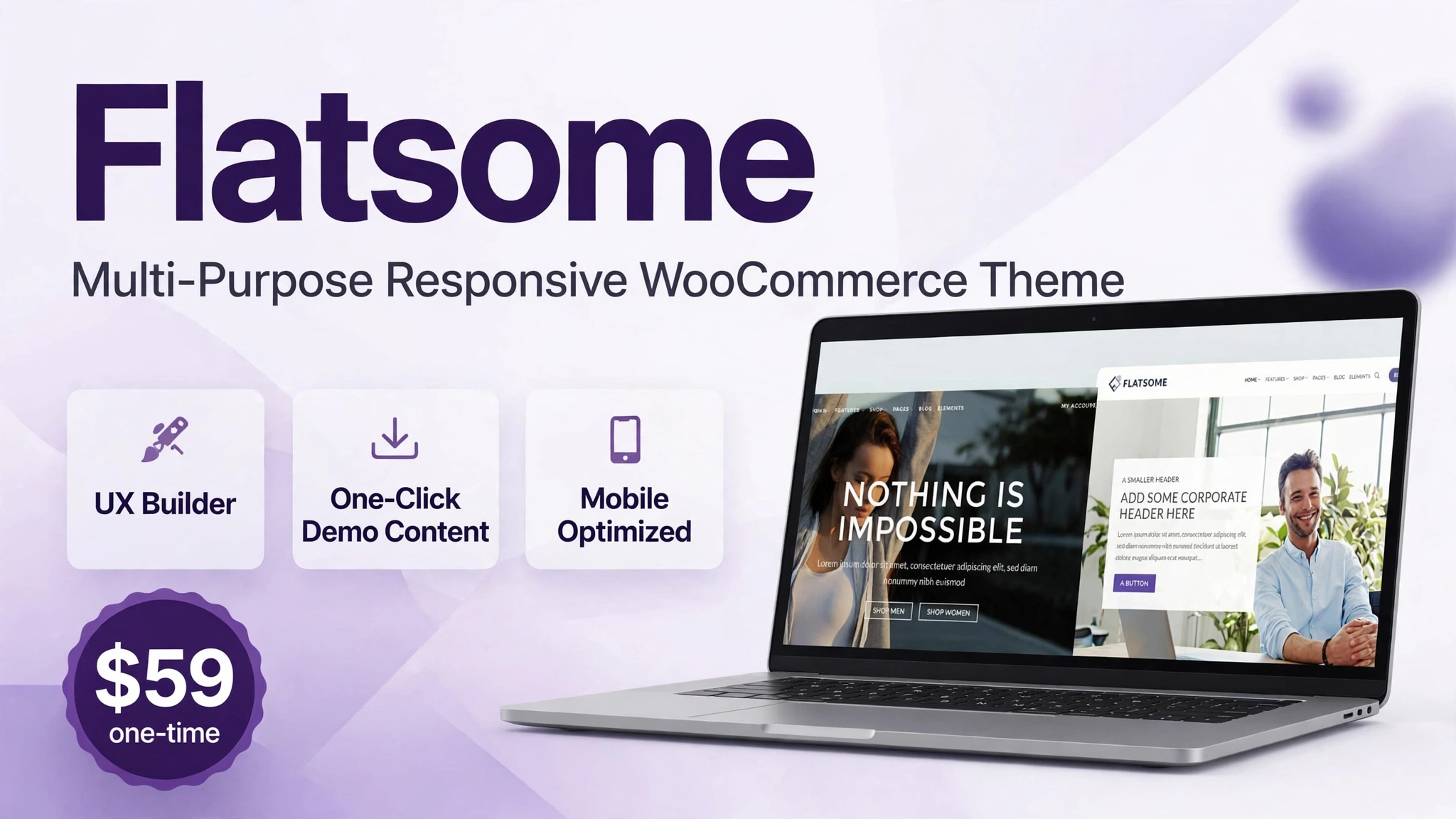
Short answer: Flatsome is worth it if you run a WooCommerce store and want a beautiful, fast shop you can design yourself without hiring a developer. For a $59 one-time payment with a Regular License, you get the UX Builder, one-click demo content, and a shop design system built specifically for WooCommerce. It is rated 4.83 out of 5 from 8,157 reviews on ThemeForest, and it has powered more than 270,000 stores. It is not the right choice for a business website that does not sell online, but for WooCommerce it remains one of the best values on the market.
In this review, verified live on ThemeForest on 6 November 2026, we explain what Flatsome is, how to set it up and build a store with it step by step, the key features that matter, the real pricing and license terms, who should buy it, and how it compares with the best-selling multipurpose theme, Avada. We also answer the questions store owners ask most, including how fast it is, whether it works well on mobile, and whether a beginner can build a store with it.
What Is Flatsome?
Flatsome is a multipurpose responsive WooCommerce theme by UX-themes, sold on Flatsome on ThemeForest. It is the best-selling WooCommerce theme on ThemeForest, and unlike general multipurpose themes that also happen to work with WooCommerce, Flatsome was designed for online stores from the start. Every part of it, from the product page layouts to the checkout design, is built around selling products.
The numbers are striking. At the time of writing, Flatsome has 270,962 sales and a 4.83 out of 5 rating from 8,157 reviews. The current version is 3.20.12, updated on 29 October 2026, and it is built for WordPress 6.8.3 and WooCommerce 10.3. A theme first released in September 2013 that is still selling strongly thirteen years later is rare, and it tells you something important: the authors have kept updating it instead of abandoning it for a new project.
Flatsome is best understood as three tools working together. First, it is a WooCommerce theme that styles your shop, product pages, cart, and checkout. Second, it is the UX Builder, a live front-end page builder with elements designed for shops, such as product grids, banners, and category blocks. Third, it is a library of ready-made demo stores you can import with one click, so you do not have to design a shop from nothing.
That combination is what makes Flatsome different from a generic business theme. A generic theme treats WooCommerce as an extra. Flatsome treats the shop as the main event. Product images, prices, variations, and add-to-cart buttons are designed to be clear and easy to use, and the mobile experience gets as much attention as the desktop one, which matters because most online shoppers now buy from their phones.
Flatsome is not a hosted store platform like Shopify. You still need WordPress, WooCommerce, a domain, and hosting. What you get for your $59 is the theme and builder that turn WooCommerce into a polished store. If you want to understand how your store fits into a wider sales system, read our guide on how to create a sales funnel without coding, and if you run a WordPress site more generally, the Animation Addons review shows another way to add visual polish to WordPress pages.
How Does Flatsome Work?
Flatsome works inside WordPress and WooCommerce. You install the theme, import a demo store or start with the builder, then design every page of the customer journey visually. The cart, checkout, and shop pages are part of the same design system, so your store feels like one coherent brand instead of a theme with a shop bolted on.
Step 1: Buy Flatsome and Install the Theme
Buy the Regular License for $59 from the official listing, Flatsome on ThemeForest, download the theme file, and upload it in WordPress under Appearance, then Themes, then Add New. Activate Flatsome and register it with your purchase code so you can receive updates. Installing the child theme as well is a smart step if you plan to add custom code later.
Step 2: Install WooCommerce and Add Your Products
Install WooCommerce, run its setup wizard, add your payment methods and shipping options, then add your products with clear photos, prices, variations, and descriptions. Good product information matters far more than a fancy theme. Take photos on a plain background, write descriptions that answer the questions a buyer would ask, and set your stock and shipping rules before you start designing the storefront.
Step 3: Import a Demo Store with One Click
Open the Flatsome demo importer and choose a demo store close to your niche: fashion, electronics, furniture, beauty, food, or a general store. Import it, and Flatsome builds the homepage, shop pages, menus, and sample content for you. You can then replace the demo products, text, and images with your own. Importing a demo is not cheating. It is the fastest way to see how a good store is structured, and it saves days of layout work.
Step 4: Design Your Shop with the UX Builder
Open a page in the UX Builder and edit it live. Drag in product grids, banners, category tiles, countdown timers, and testimonial sections. Change the layout of your product pages, add a gallery, choose where the price and add-to-cart button sit, and preview it all on desktop, tablet, and mobile. Because you are editing the real page, there are no surprises when you publish.
Step 5: Customize Colors, Header, and Checkout
Use Live Theme Options to set your brand colors, fonts, logo, and header layout, and preview every change before you save it. Set up your header with search, cart, and navigation, design the checkout page to be short and simple, and add trust signals such as secure payment badges and a clear returns policy. Finally, test the full journey: search for a product, add it to the cart, and complete a test order. If any step feels confusing, fix it before real customers meet it.
The whole process can take a weekend for a new store with a dozen products. The demo import does the heavy lifting, and the UX Builder handles the details. Plan to spend most of your time on product photos, prices, and shipping settings, because those are the things that decide whether a visitor buys, not the exact shade of your buttons.
Key Flatsome Features
Flatsome has many features, but six decide whether it is right for your store. Here they are, in the order that matters to a store owner.
1. UX Builder: Build Anything Visually
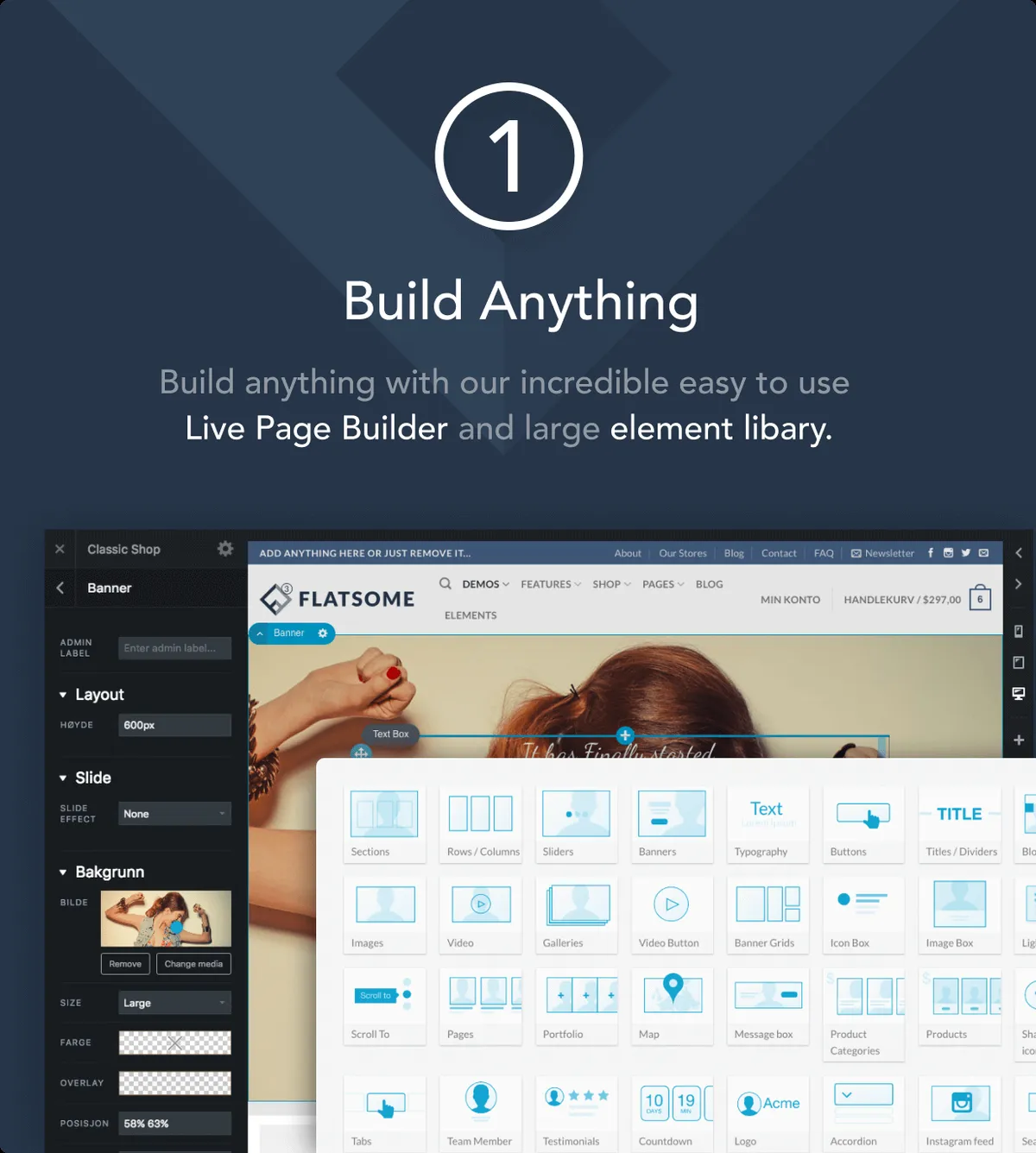
The UX Builder is Flatsome’s live page builder, and it is the feature you will use every week. It lets you build pages on the front end with a drag-and-drop editor and a large library of elements: product grids, product sliders, banners, category blocks, image galleries, testimonials, countdown timers, and more. You can design a homepage, a landing page for a sale, or a special collection page without touching code or hiring a developer.
What makes the UX Builder good for shops is that its elements are shop-aware. A product grid element knows how to show products by category, price, or sale status. A banner element can link to a product or a category. That saves the fiddly work of connecting a generic page builder to WooCommerce. For a store owner, that means you can build a Black Friday sale page or a new collection page in an afternoon, rather than waiting for a developer.
As with any builder, there is a trade-off. Pages built in the UX Builder are tied to Flatsome. If you switch themes later, you will need to rebuild them. That is normal for builder-based themes, and it is a reason to choose Flatsome as a long-term home for your store rather than a short experiment.
2. WooCommerce Shop and Product Page Builder
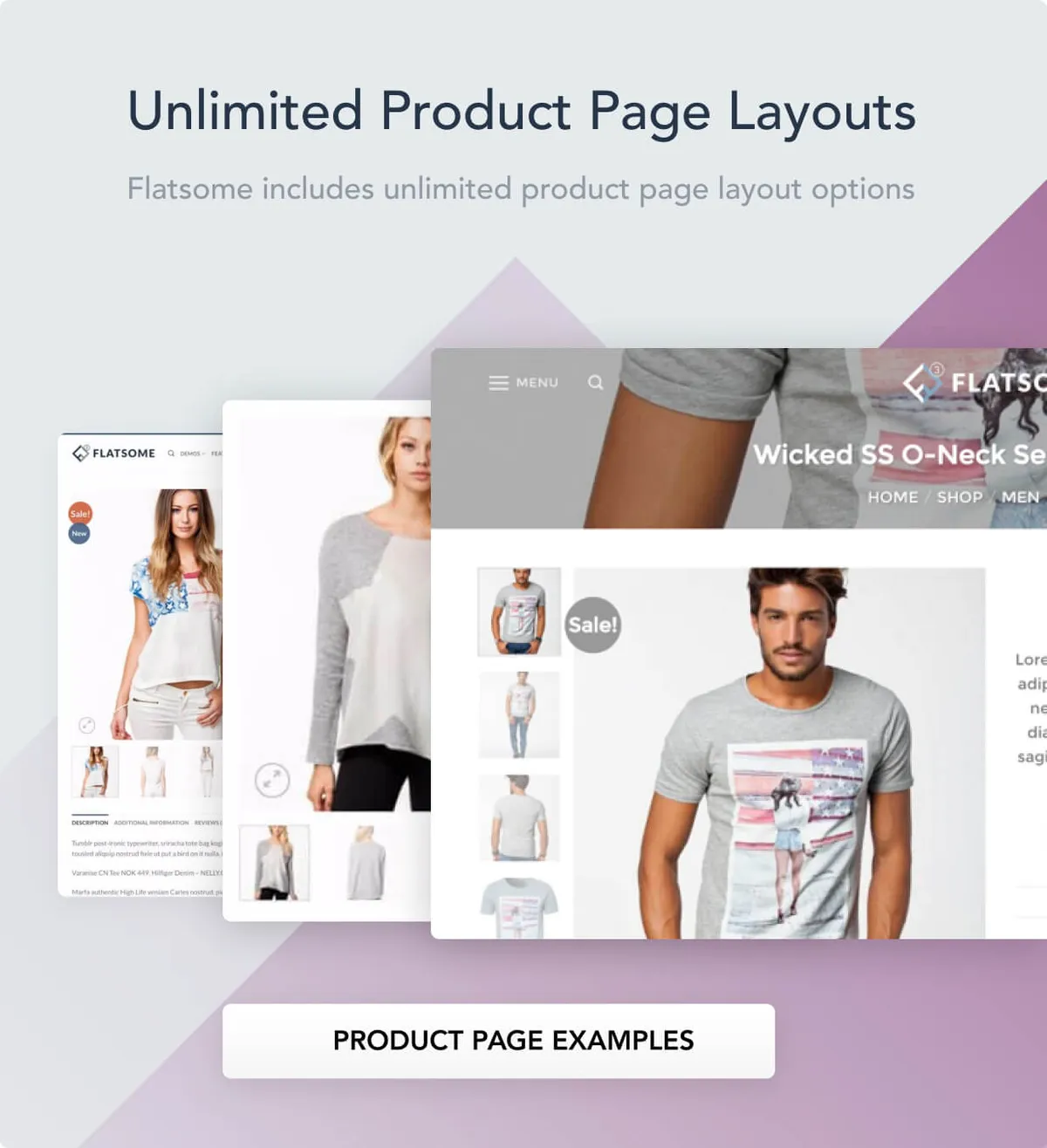
This is the feature that justifies Flatsome for most buyers. Flatsome lets you design unlimited product page layouts and shop layouts with the UX Builder. You can choose how the gallery, title, price, short description, variations, and reviews are arranged, and create different layouts for different kinds of products. A fashion product might need a large gallery and a size guide. An electronics product might need specifications and a comparison table. Flatsome lets you build both.
The shop page gets the same treatment. You can design the product grid, filters, sorting, and category navigation to match how your customers actually browse. Add features store owners ask for every day: quick view, so customers can see a product without leaving the shop page; wishlist buttons; product badges for new or sale items; and related products that encourage a larger order. A good product page answers the buyer’s questions in order: what is it, what does it cost, how do I choose the right option, and how do I buy it. Flatsome gives you the design tools to do exactly that.
Flatsome also supports catalog mode, which hides prices and add-to-cart buttons. That is useful if you use your store as a product catalog and take orders by phone or quote, or if you run a wholesale store where prices are only shown to logged-in customers. It is a small feature, but it shows that Flatsome was built by people who understand how real stores work.
3. One-Click Demo Content and Prebuilt Demo Stores
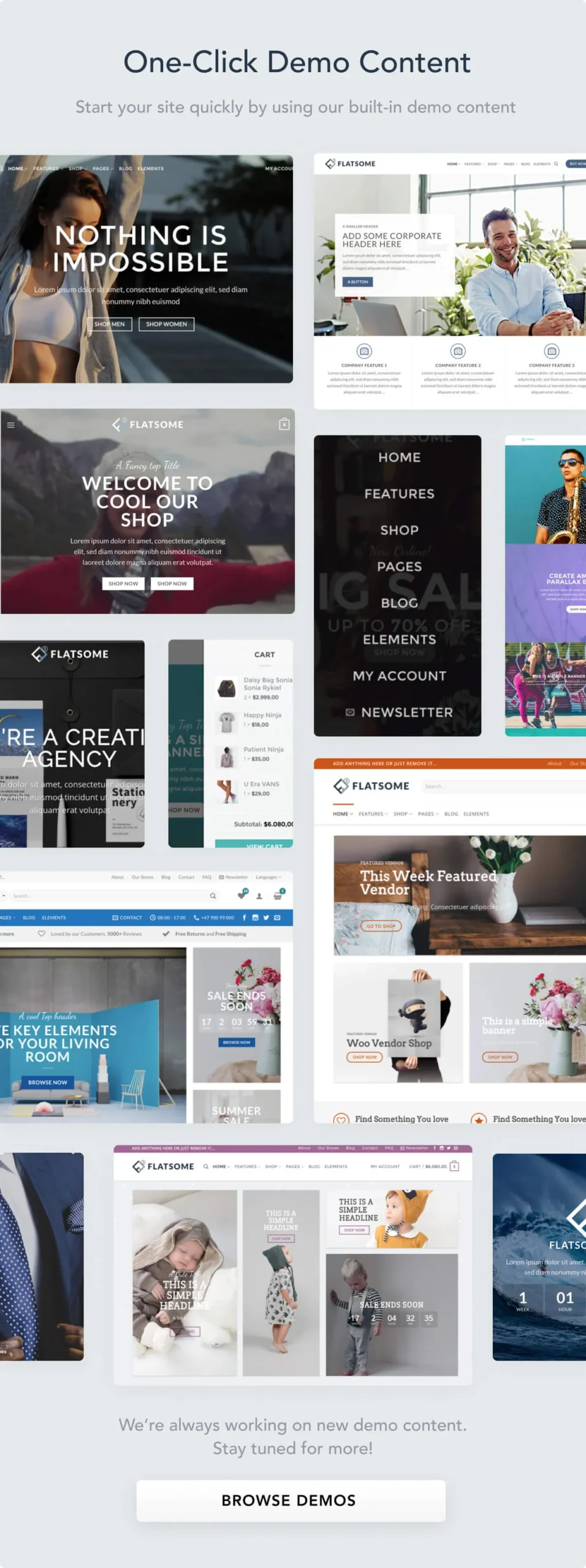
Flatsome includes ready-made demo stores that you can import with one click. There are demos for fashion, beauty, electronics, furniture, food, sports, and general stores, and each one is a complete store design rather than a single page. Import one, and you get the homepage, shop pages, menus, and sample products already in place.
Use the demos wisely. Choose a demo for your niche, not the one with the prettiest photos. Then replace the demo products with your own, rewrite the text, and delete the sample pages you do not need. Keep the layout and structure, because that is what the demo authors tested. Change the content, because your customers are buying your products, not the demo’s. A store that still has demo products and lorem ipsum text on launch day is a store that is not ready to take money.
4. Live Theme Options and Customizer
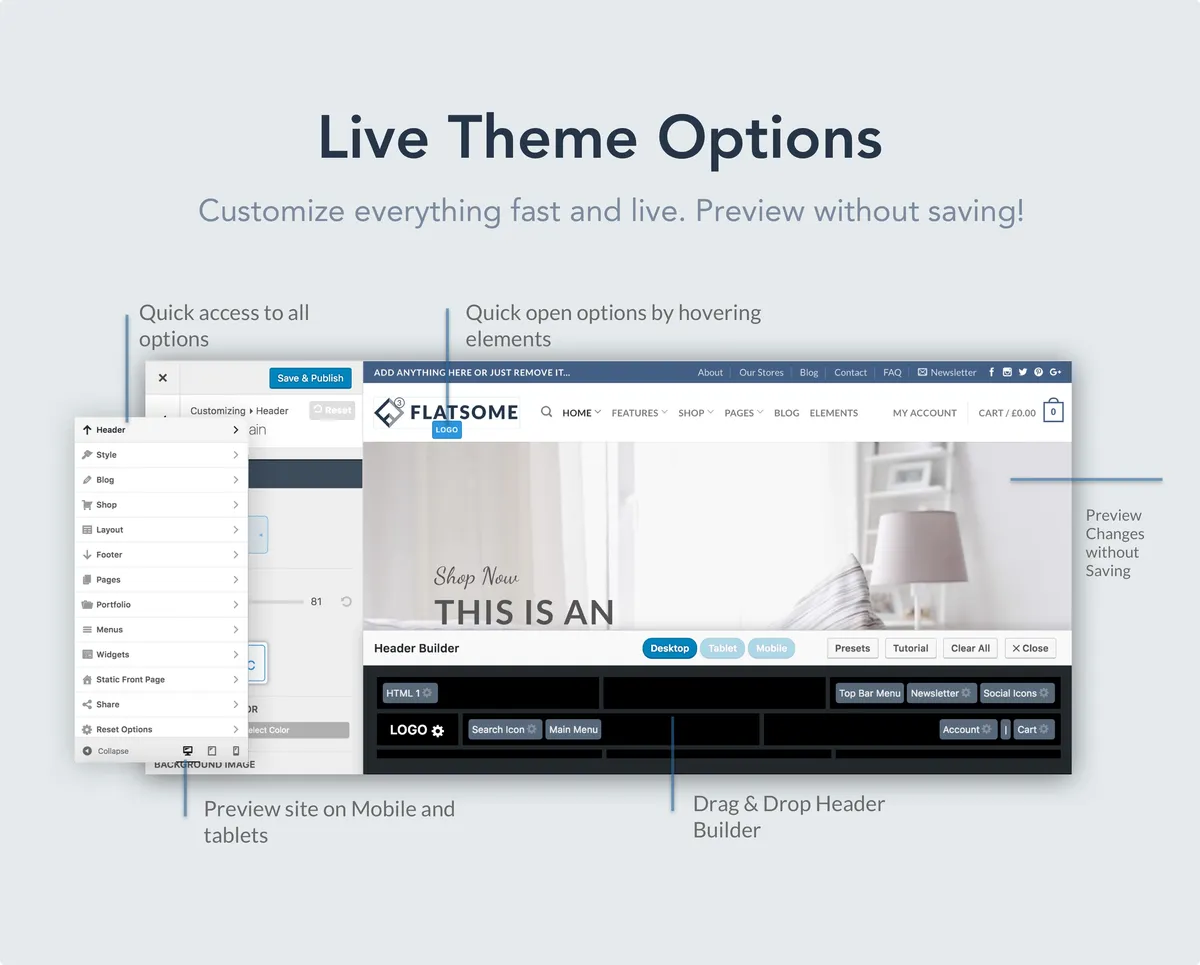
Flatsome’s Live Theme Options let you customize and preview your store without saving first. Change the colors, fonts, header style, or button shape, look at the result on the live preview, and only save when you like it. That sounds simple, but it changes how you design a store. Instead of changing a setting, saving, opening the site, and coming back to change it again, you can try several options in a few minutes.
Use this tool for the visible brand decisions: your logo, your main color, your headings font, the shape of your buttons, and your header layout. Keep the number of fonts to two, one for headings and one for body text, and keep your colors consistent. A store with three fonts and five colors looks like a hobby project. A store with one clear color palette looks like a brand. The customizer also controls practical things, such as whether the header sticks to the top when customers scroll, where the cart icon appears, and how product images are displayed.
5. Mobile-Optimized Design
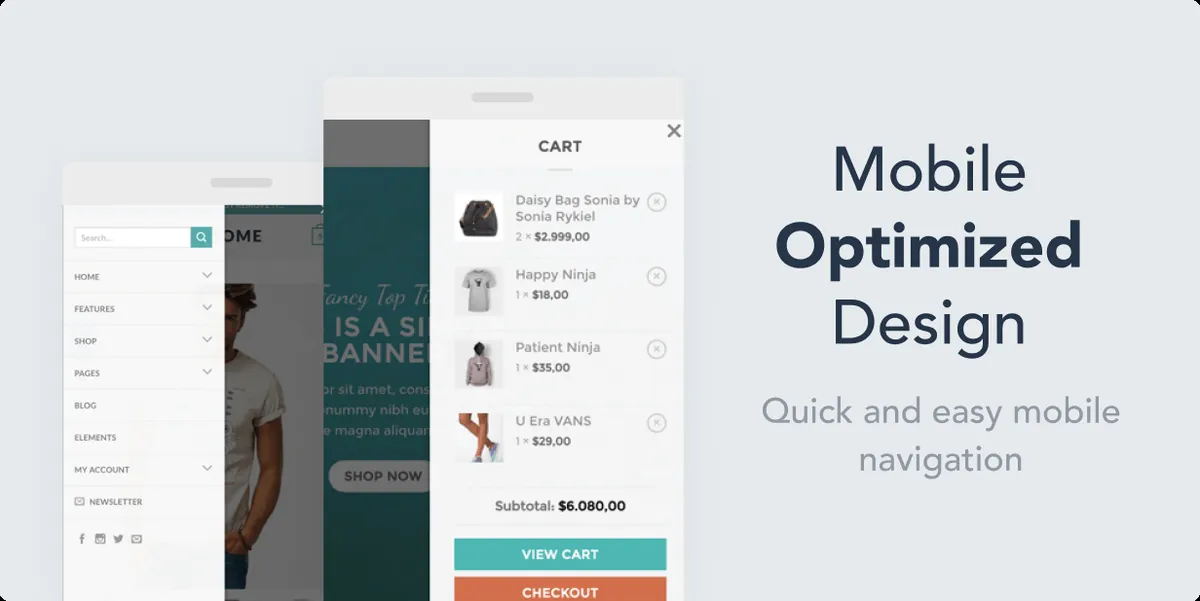
Most online shoppers visit a store on a phone, often while doing something else, and they will leave quickly if the store is hard to use on a small screen. Flatsome was built with mobile shopping in mind. Product grids rearrange cleanly, buttons stay large enough to tap, and the mobile navigation is simple to use. There is a mobile menu, a search option that is easy to reach, and a cart that is always visible.
Mobile design is where many themes fail quietly. A desktop homepage can look stunning while the mobile version hides the search box, shrinks the add-to-cart button, or makes the menu hard to open. Before you launch a Flatsome store, do all of your final testing on a real phone, not just in a desktop browser resized to a narrow window. Add a product to the cart, change the quantity, apply a coupon, and check out. If any step is awkward on mobile, your customers will feel it on every order.
6. Optimized for Speed
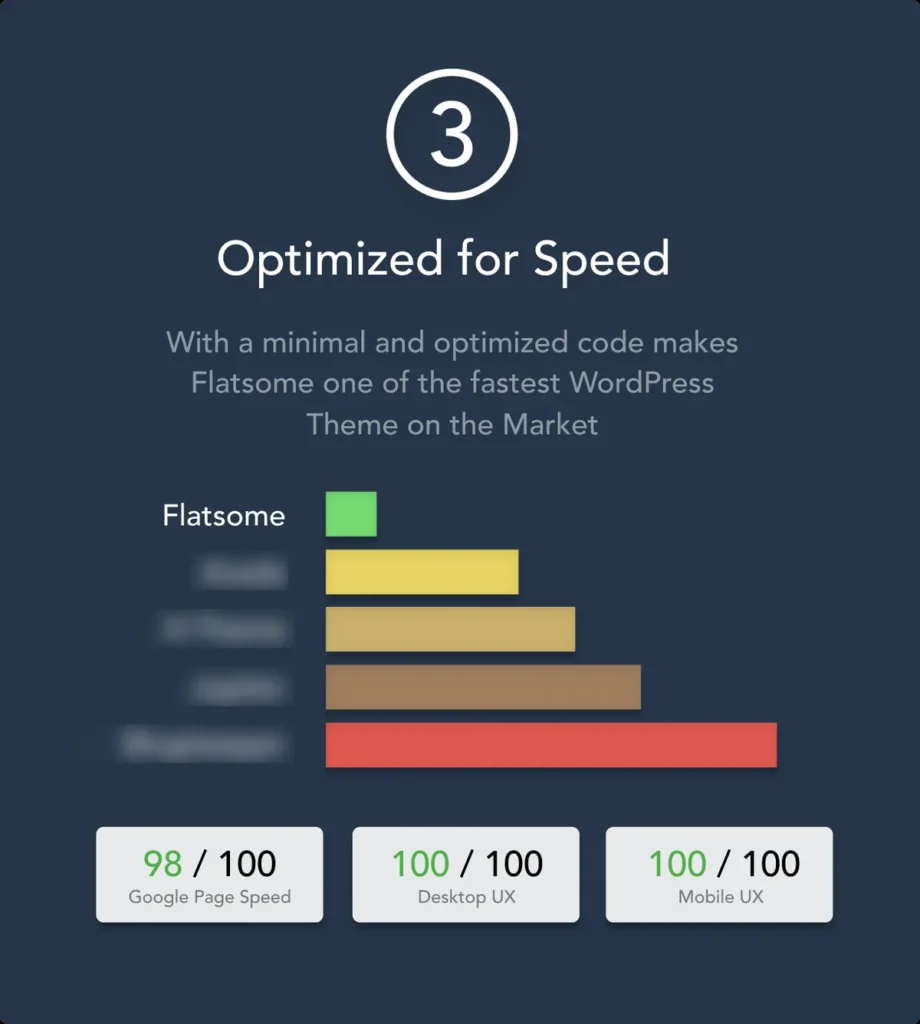
Flatsome is marketed as a fast WooCommerce theme, and speed is a genuine selling point for a store theme. A store that loads in two seconds will sell more than the same store loading in five seconds, because shoppers leave slow pages. Flatsome keeps its code leaner than many multipurpose themes by not loading features you are not using, and it includes settings to help you manage scripts, styles, and images.
Flatsome publishes test scores for its demo of 98 out of 100 for Google Page Speed, 100 out of 100 for desktop user experience, and 100 out of 100 for mobile user experience. Treat those as the result for a clean demo on good hosting, not a guarantee for your store. Your real speed depends on your hosting, the images you upload, and how many plugins you add. The practical rules still apply: compress your product images before you upload them, use a caching plugin, and avoid adding a dozen plugins you do not need. Done well, a Flatsome store can be one of the faster WooCommerce stores you will run.
| Test | Flatsome Published Score |
|---|---|
| Google Page Speed | 98 / 100 |
| Desktop user experience | 100 / 100 |
| Mobile user experience | 100 / 100 |
Flatsome Pricing and License
Flatsome pricing works the same way as Avada pricing, because both are Envato themes sold on ThemeForest. It is a one-time purchase, not a subscription. You pay once, and you can use the theme on one website per license, with free updates for the life of the product and six months of support from the author included.
| License | Price (verified 6 November 2026) | What It Includes |
|---|---|---|
| Regular License | $59 one-time | Use Flatsome on one website (one end product), free updates for the life of the product, and 6 months of support from UX-themes |
| Extended License | $2,950 one-time | Use Flatsome on one website where visitors can be charged for access to the end product, with the same updates and 6 months of support included |
Most store owners need the Regular License. The Extended License applies only when the website built with the theme is itself charged for, such as a paid membership site. A normal online store where you sell your own products uses the Regular License. Check the current price on Flatsome on ThemeForest before you buy, because prices can change, and the figures here were verified live on 6 November 2026.
Support works the same way as with Avada. Your $59 includes six months of support from UX-themes, so if a Flatsome feature does not work as described, you can ask the author for help during that period. After six months, your store keeps working, and you keep receiving free updates. You can extend support for a fee if you want it. The important point is that your website does not stop working when the support period ends.
Is Flatsome Worth It?
For a WooCommerce store, yes. The way to judge Flatsome is to ask what you would pay to get the same result another way. A custom store design from a developer costs hundreds or thousands of dollars. A generic theme plus a separate page builder, a shop builder, and a demo importer would cost more than $59 in plugins and still not feel as integrated. Flatsome gives you all of it in one purchase, and it is the theme behind more than 270,000 stores, so it has been tested on far more real shops than a new theme.
The value is clearest for small and medium stores. If you sell twenty to a few hundred products, Flatsome gives you everything you need: product page layouts, shop design, mobile optimization, and demo stores to start from. For a very large store with thousands of products and complex custom requirements, you will still need a developer at some point, but Flatsome is still a good foundation. It is less good value if you are not selling online at all. A business website without a shop should look at a more general theme, such as the theme in our Avada WordPress theme review, which is built for business websites as well as stores.
Flatsome Pros and Cons
Pros
- Only $59 one-time with a Regular License and free updates for the life of the product.
- Built for WooCommerce first, not as an afterthought, with shop and product page builders.
- UX Builder with shop-aware elements for product grids, banners, and categories.
- One-click demo stores for many niches, so you can start from a finished design.
- Strong mobile design and a fast, lean approach to loading features.
- Excellent track record: 4.83/5 from 8,157 reviews and 270,962 sales.
- Live Theme Options let you preview every change before you save it.
- Catalog mode for stores that show products without selling directly online.
Cons
- One license covers one website, so you need a new license for each additional store.
- Designed mainly for stores. It is not the best choice for a non-selling business site.
- Pages built in the UX Builder do not transfer cleanly if you switch themes later.
- Only 6 months of support is included. Longer support costs extra.
- Fewer general business layouts than a multipurpose theme such as Avada.
- Your real speed still depends on hosting, images, and plugin choices.
Who Should Buy Flatsome?
Flatsome is a strong match for anyone running a WooCommerce store: new store owners launching their first shop, small businesses moving from a marketplace to their own store, fashion and beauty brands, and agencies building stores for clients. It is less suited to a business website that does not sell online, to a large enterprise store with complex custom development needs, or to anyone who wants a blog theme with no shop features at all.
Flatsome vs Avada
| Feature | Flatsome | Avada |
|---|---|---|
| Price | $59 one-time, Regular License | $69 one-time, Regular License |
| Rating | 4.83/5 from 8,157 reviews | 4.78/5 from 26,605 reviews |
| Builder | UX Builder, shop-aware elements | Live Visual Builder, many builders |
| Best for | WooCommerce stores | Business websites and stores |
| Prebuilt designs | Demo stores for many niches | 110+ prebuilt websites |
| Bundled plugins | None bundled | 6 premium plugins bundled |
The choice is simple. If your site is a store first and a website second, choose Flatsome. If your site is a business website that also has a shop, choose Avada. Read our Avada WordPress theme review for the full comparison before you decide.
Frequently Asked Questions
Is Flatsome good for beginners?
Yes, especially if you start with a one-click demo store. The UX Builder is visual, and the Live Theme Options let you preview changes before you save them. Begin with the demo, then change one thing at a time.
Is Flatsome good for WooCommerce?
Yes. It is the best-selling WooCommerce theme on ThemeForest, with shop and product page builders, catalog mode, quick view, and mobile-optimized checkout design built in.
How many websites can I use Flatsome on?
One website per Regular License. Each additional store needs another license.
Is Flatsome fast?
Yes, for a feature-rich WooCommerce theme. Flatsome publishes demo scores of 98/100 for Page Speed, but your real speed also depends on hosting, image sizes, and plugins, so test your own store after launch.
Final Verdict
Flatsome is the best-selling WooCommerce theme for a reason. For $59 one-time, you get the UX Builder, one-click demo stores, shop and product page builders, and mobile-optimized design, backed by a 4.83/5 rating from more than 8,000 buyers and free updates for the life of the product. If you run a WooCommerce store and want a shop you can design yourself, Flatsome is still the theme to beat in 2026.
Affiliate Disclosure: This review contains affiliate links. If you buy through our link to the official ThemeForest listing, we may earn a commission at no extra cost to you. Prices, ratings, and version details were verified live on ThemeForest on 6 November 2026.