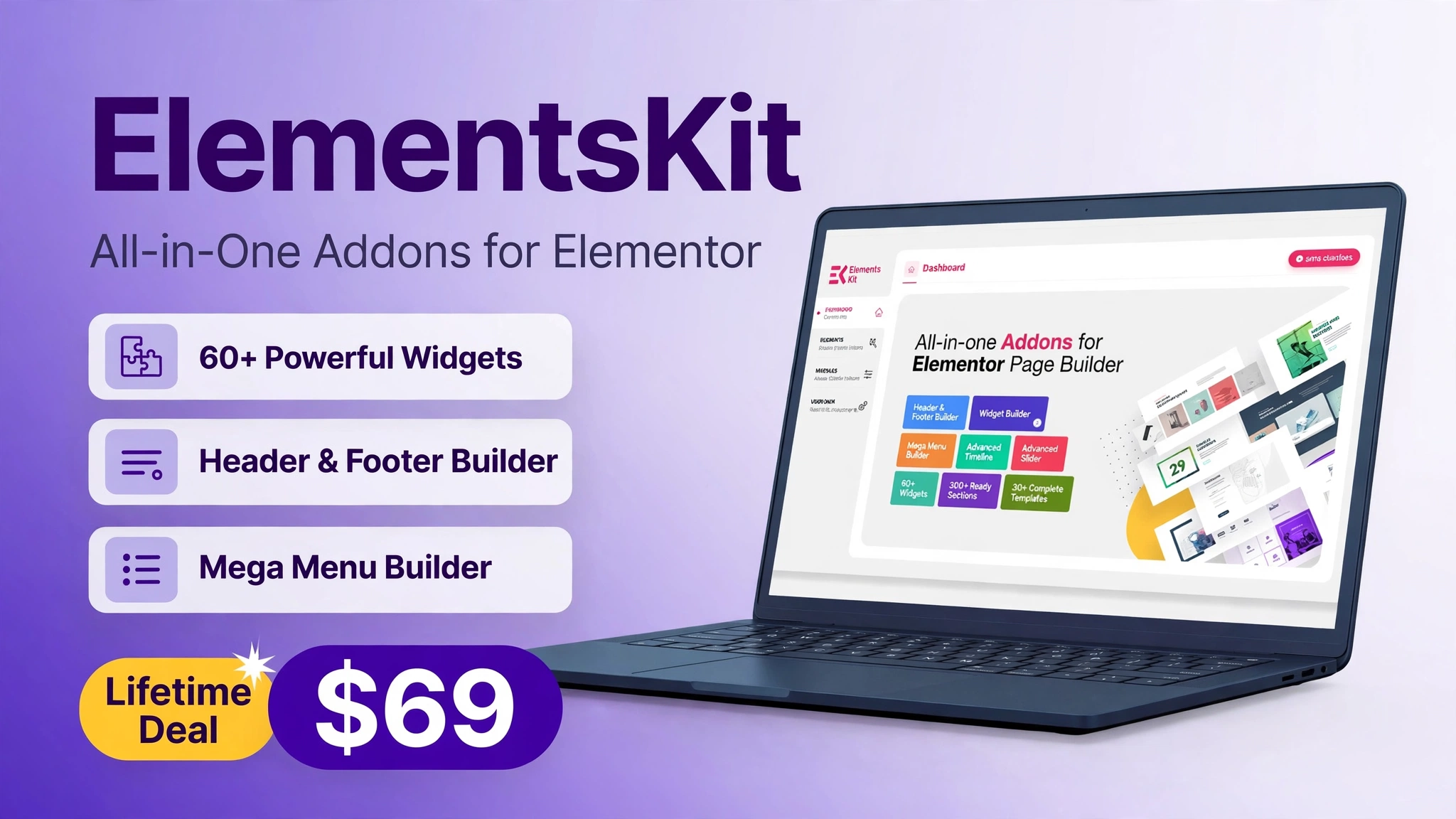
ElementsKit Lifetime Deal – All-in-One Elementor Addon with 90+ Widgets
Short answer: Yes, for WordPress site owners who use Elementor, ElementsKit is one of the strongest value deals on AppSumo right now. For a one-time payment starting at $69, you get an all-in-one Elementor addon that replaces several separate plugins for widgets, templates, headers and footers, mega menus, and more. If you build client sites or run your own WordPress site, this deal can save you hundreds of dollars in annual plugin fees.
In this ElementsKit Lifetime Deal review, we cover what it is, how it works, its key features, pricing, pros and cons, who should buy it, and how it compares with buying traditional Elementor addons. All pricing and ratings below were verified live on AppSumo on November 4, 2026. Note: AppSumo showed this deal ending in about 4 days at the time of checking, so check the live page before you buy, as availability can change.
Deal snapshot: ElementsKit by Wpmet, rated 4.83 out of 5 from 185 reviews on AppSumo, starting at $69 one-time for Tier 1 (regular price $459). Check the ElementsKit deal on AppSumo.
What Is ElementsKit?
ElementsKit is an all-in-one addon for Elementor, the popular WordPress page builder. Instead of installing a separate plugin for every extra widget, template pack, or header builder, ElementsKit bundles them into one toolkit. It is made by Wpmet, the team behind MetForm, and it works with both the free and Pro versions of Elementor.
With ElementsKit, you can build pages faster using ready-made sections, widgets, and templates, and you can control parts of your site that Elementor alone does not handle as easily, such as headers, footers, and mega menus. For freelancers and agencies, that means fewer plugins to update, fewer compatibility headaches, and a more consistent look across client sites.
It is not a standalone page builder. You still need WordPress and Elementor installed. Think of ElementsKit as a power pack that sits on top of Elementor and fills in the gaps that most site builders run into, especially when a client asks for a custom header, a pricing table, or a polished testimonial section on a tight deadline.
How It Works
Getting started with ElementsKit is straightforward, even if you are new to Elementor addons:
Step 1: Buy a tier on AppSumo and redeem your code on the ElementsKit site within 30 days of purchase.
Step 2: Install WordPress, Elementor, and ElementsKit, then activate your license.
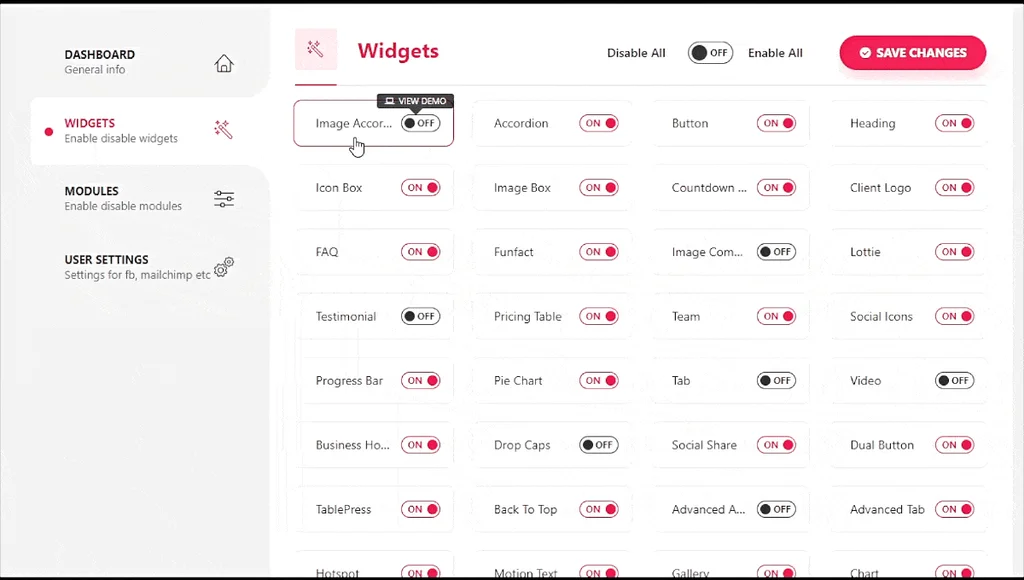
Step 3: Turn on only the modules you need in the ElementsKit settings, so your site stays fast.
Step 4: Open any page in Elementor, drag in ElementsKit widgets, sections, or templates, and customize them to match your brand.
Step 5: Use the header and footer builder, mega menu builder, and layout tools to finish the parts of your site that live outside normal page content.
Because you can switch modules on and off, you are not forced to load everything on every site. That is a small detail that matters a lot for speed, especially on client sites where performance is part of the deliverable.
Key Features
1. 90 Plus Elementor Widgets
ElementsKit includes more than 90 widgets for the sections every business site needs: pricing tables, testimonials, team members, progress bars, image galleries, forms, and more. You can build a complete landing page without hunting for a separate widget plugin for each section.
2. Ready-Made Templates, Sections, and Layouts
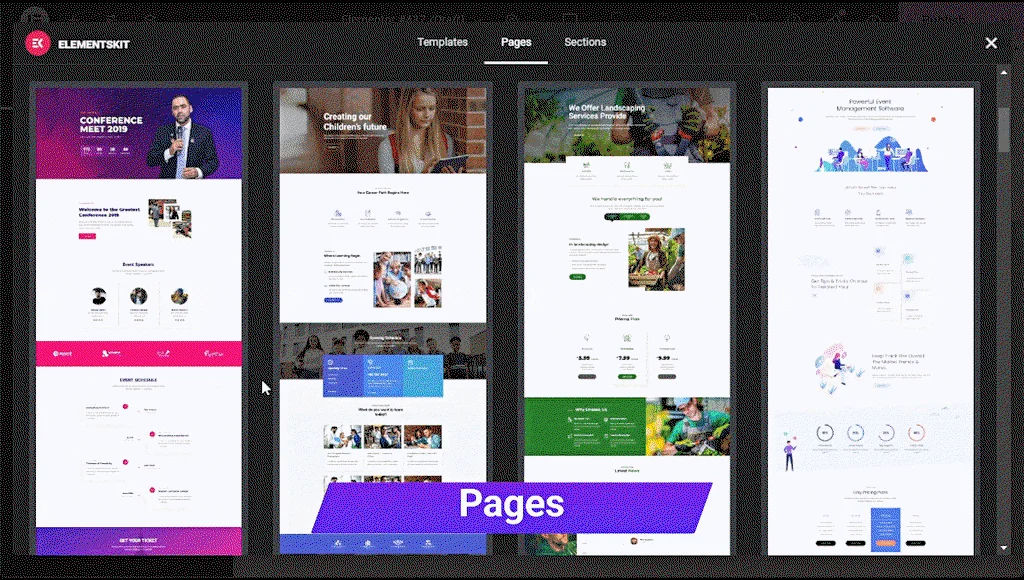
Start from a full page template or drop in a single ready-made section when you are stuck. Templates cover common pages such as home, services, about, and contact, and they are easy to restyle with your colors and fonts. For client work, this is where the time saving is most obvious.
3. Header, Footer, and Mega Menu Builders
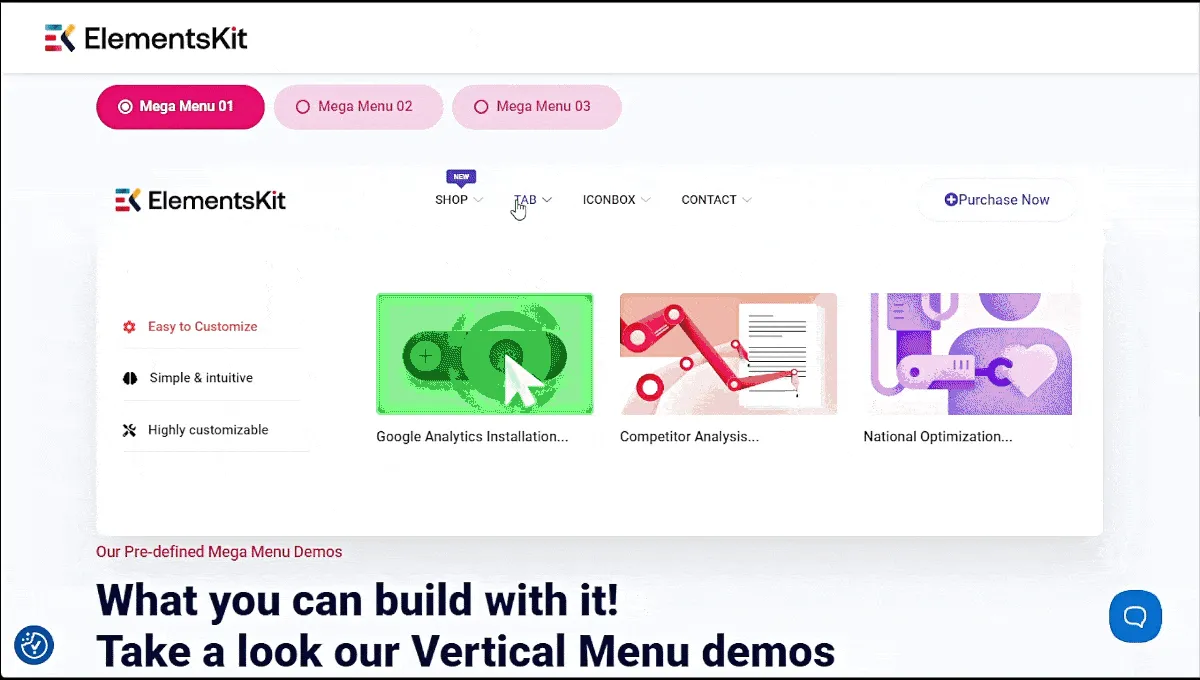
Headers and footers are often the hardest part of a WordPress site to customize. ElementsKit gives you a visual builder for both, plus a mega menu builder for large navigation menus with images, columns, and icons. You can design these once and apply them across the whole site.
4. Parallax, Sticky Content, and Advanced Modules
ElementsKit also includes modules for parallax scrolling, sticky elements, and other interactive effects, plus tools for conditional content and layout control. Used sparingly, these effects make a site feel polished without needing custom code for every animation.
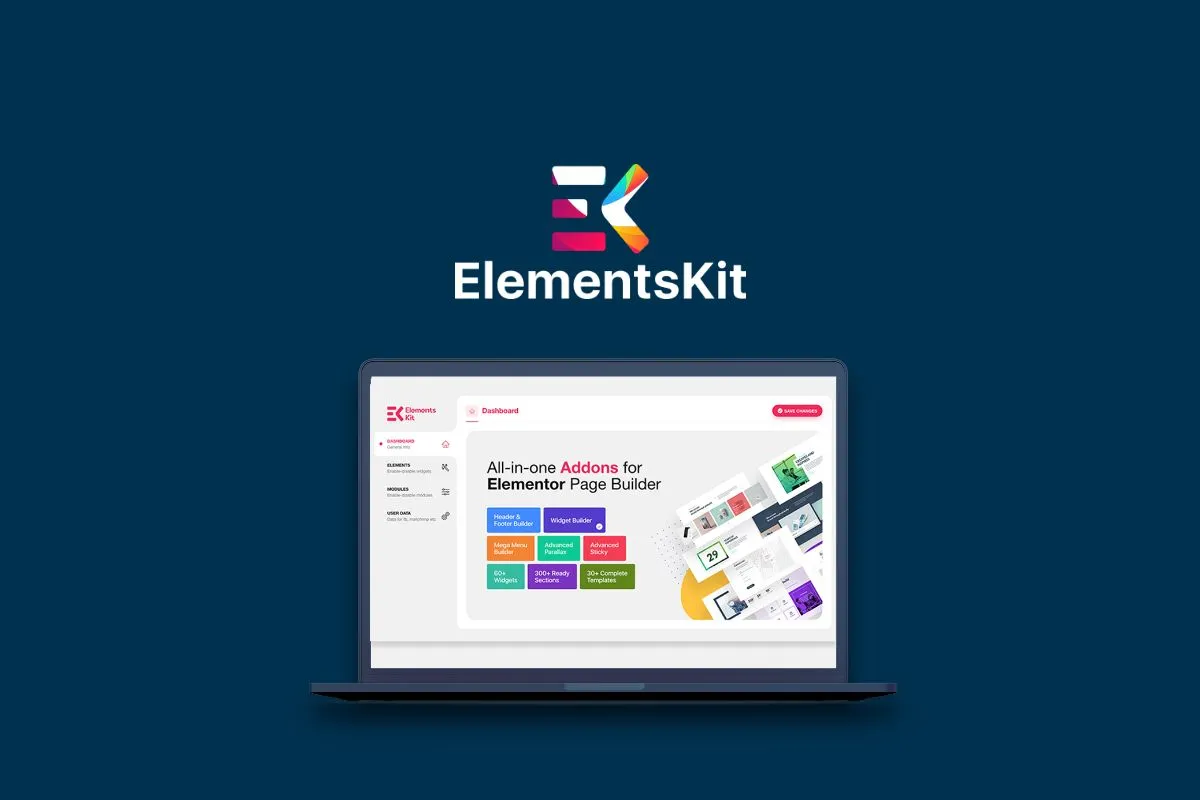
All screenshots above are official AppSumo product images, shown to illustrate the features described.
Pricing
Prices below are the AppSumo one-time prices verified on November 4, 2026. Regular prices are shown for comparison, and all tiers include lifetime access and future Pro plan updates, with a 30-day money-back guarantee on AppSumo.
| Tier | One-time price | Regular price | Sites | Key inclusions |
|---|---|---|---|---|
| Tier 1 | $69 | $459 | 5 sites | All Pro features, 90 plus widgets, header and footer builder |
| Tier 2 | $138 | $918 | 20 sites | Everything in Tier 1, for 20 sites |
| Tier 3 | $207 | $1,377 | Unlimited sites | Everything in Tier 1, for unlimited sites |
Note: AppSumo stacks up to 3 codes max, with 3 codes at $207 for unlimited sites. Always confirm the tier you need, especially the site limit, on the live AppSumo page before purchase, as AppSumo occasionally adjusts stacking options.
Is It Worth It? The Starter Value
For most single-site owners, Tier 1 at $69 is the clear starter value. One year of a comparable premium Elementor addon can cost a similar amount, and it renews every year. Here, $69 covers the Pro features for life for up to 5 sites, with future Pro plan updates included. If you use even three or four of its widgets and templates regularly, it pays for itself in the first project.
The value grows with site count. At $207, Tier 3 covers unlimited sites, which is a strong fit for freelancers and agencies who build sites repeatedly. Instead of paying per site or per year for several addons, you pay once and reuse the same toolkit. The main condition is that you actually use Elementor. If you use Gutenberg, another builder, or a different platform, this deal will not help you, no matter how good the price looks.
Pros and Cons
Pros
One-time payment instead of annual renewals; 90 plus widgets, templates, and builders in one plugin; header, footer, and mega menu builders included; works with free and Pro Elementor; rated 4.83 out of 5 from 185 AppSumo reviews; 30-day money-back guarantee; future Pro plan updates included.
Cons
Requires WordPress and Elementor, so it is not for non-WordPress sites; the full toolkit can feel large if you only need one or two widgets; you must redeem codes within 30 days of purchase; the deal is time-limited on AppSumo, so the price shown here may change after the deal ends.
Who Should Buy ElementsKit?
Freelancers: If you build WordPress sites for clients, the templates and builders speed up delivery and make your work look more consistent. Tier 3 is worth considering if you expect to build many sites.
Agencies: Unlimited-site coverage, reusable templates, and a single toolkit across projects reduce plugin sprawl and support work.
Small business owners: If you run your own WordPress site and want to improve pages, headers, and menus without hiring a developer for every change, Tier 1 is a low-risk way to upgrade your site.
Bloggers and creators: If you use Elementor to design posts, landing pages, and lead magnets, the widgets and sections save design time, especially for sales and opt-in pages.
Who should skip it: Anyone not using WordPress with Elementor, anyone who only needs a single simple widget, and anyone who prefers a different page builder should pass and spend the budget elsewhere.
Comparison: ElementsKit vs Traditional Tools
| Approach | Typical cost | What you get | Best for |
|---|---|---|---|
| ElementsKit lifetime deal | $69 to $207 one-time | Widgets, templates, header, footer, and mega menu builders in one plugin | Elementor users who want one toolkit |
| Separate Elementor addons | Annual fees per plugin, often $39 to $99 each per year | Specialized widgets from several vendors | Users who need one niche feature |
| Premium theme with built-in widgets | One-time or annual theme fee, plus limited flexibility | Design tied to one theme | Single-site owners who will not switch themes |
| Hiring a developer for custom sections | Hundreds per project | Fully custom work, no reuse without extra cost | Complex, one-off custom builds |
The comparison is simple: separate addons and custom work can be better for a very specific need, but they cost more over time and add more plugins to maintain. ElementsKit wins on breadth and lifetime cost for typical Elementor sites. For related reading, see Best SaaS Tools for Small Businesses in 2026 and How to Automate Your Small Business with SaaS Tools in 2026.
Frequently Asked Questions
1. Is ElementsKit a lifetime deal?
Yes, on AppSumo it is sold as a one-time payment with lifetime access to the Pro plan features in your tier, including future Pro plan updates. It is not a monthly subscription.
2. How much does ElementsKit cost on AppSumo?
Verified November 4, 2026: Tier 1 is $69 for 5 sites, Tier 2 is $138 for 20 sites, and Tier 3 is $207 for unlimited sites. AppSumo stacks up to 3 codes max (3 codes = $207 for unlimited sites).
3. What is the ElementsKit rating on AppSumo?
ElementsKit was rated 4.83 out of 5, shown as 4.8, from 185 reviews at the time of checking.
4. Do I need Elementor Pro to use ElementsKit?
No. ElementsKit works with both free Elementor and Elementor Pro, although some Elementor Pro features remain separate and are not replaced by ElementsKit.
5. How many sites can I use it on?
It depends on your tier: 5 sites on Tier 1, 20 sites on Tier 2, and unlimited sites on Tier 3, with stacking options shown on AppSumo.
6. Is there a money-back guarantee?
Yes, AppSumo offers a 30-day money-back guarantee, and codes must be redeemed within 30 days of purchase.
7. Does ElementsKit slow down my site?
Any addon can affect speed if you load everything at once. ElementsKit lets you enable only the modules you need, which helps keep sites fast. Use that setting on every site.
8. Can I use ElementsKit for client sites?
Yes, that is one of its strongest uses, especially on Tier 3 for unlimited sites. Check the license terms on AppSumo for your tier before using it on client work.
9. When does the ElementsKit deal end?
At the time of checking on November 4, 2026, AppSumo showed the deal ending in about 4 days. That date may change, so confirm availability on the live deal page before buying.
10. Is ElementsKit worth it in 2026?
For Elementor users, yes, especially at Tier 1 for a single site or Tier 3 for agencies. If you do not use Elementor, it is not worth it, regardless of price.
Final Verdict
ElementsKit is a rare AppSumo deal that does one thing very well: it gives Elementor users a complete, reusable toolkit for a single one-time payment. The $69 starting price, 4.83 out of 5 rating from 185 reviews, and unlimited-site Tier 3 at $207 make it easy to recommend for freelancers, agencies, and WordPress site owners who already build with Elementor.
If that describes you, check the live deal before it ends and choose the tier that matches your site count. Get the ElementsKit Lifetime Deal on AppSumo.