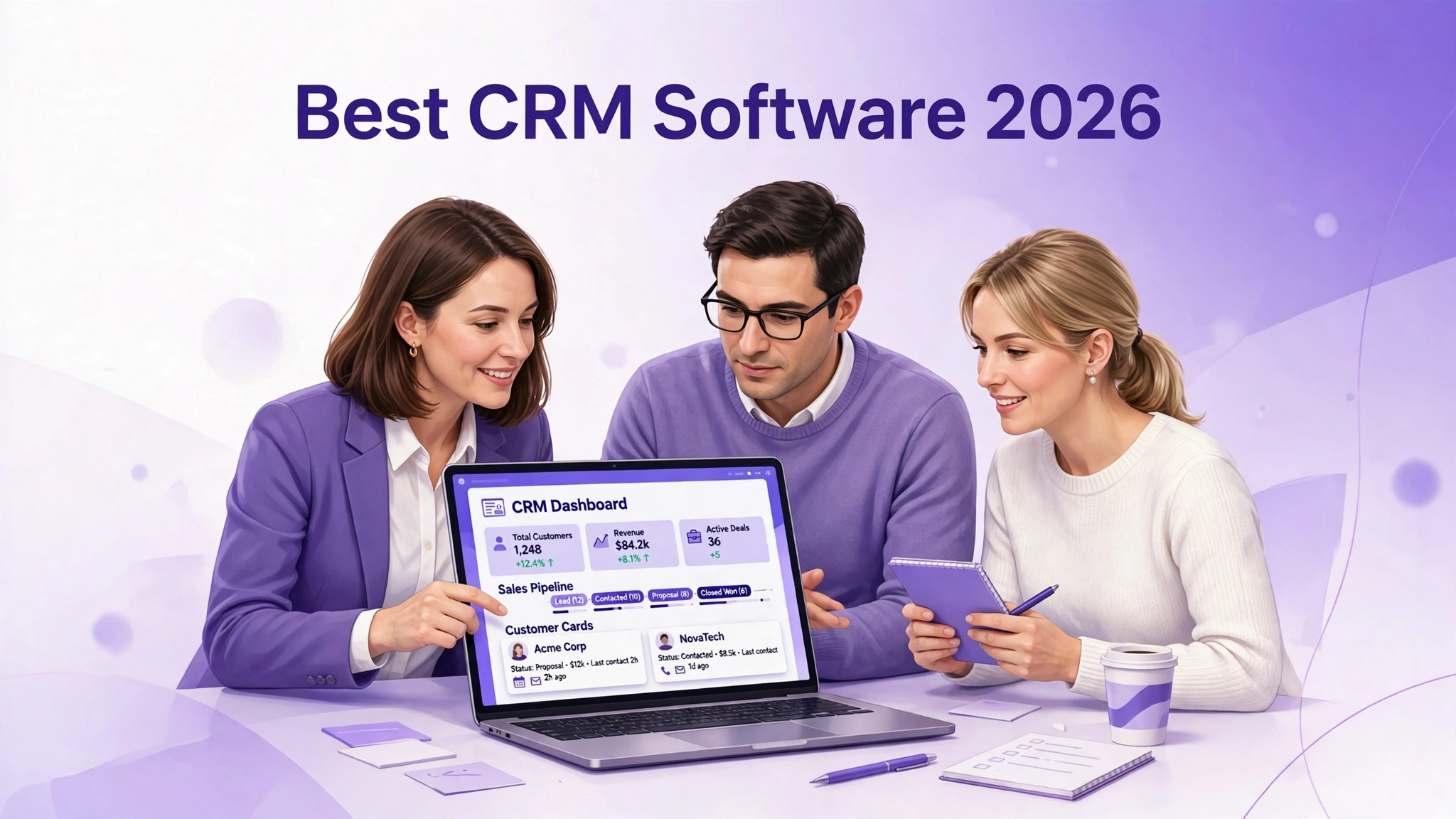
Best CRM Software for Small Businesses in 2026
Choosing the best CRM software for small businesses can feel harder than it should. There are dozens of tools, all promising to grow your sales, save you time, and keep your customers happy. Some are free, some cost a lot, some are simple, and some need a training course just to send an email. If you pick the wrong one, you end up paying for features you never use, while your team quietly goes back to spreadsheets and sticky notes.
This guide makes the choice simpler. It explains what a CRM really does, how to choose one for a small team, and then compares eight tools that are genuinely popular with small businesses in 2026: HubSpot, Zoho CRM, Pipedrive, Freshsales, Salesforce, Monday CRM, Capsule, and Insightly. For each one you will find honest strengths and limits, and real pricing tiers verified from the vendor’s own pricing page on 6 November 2026. Prices change, so check the vendor’s site before you buy, and where I could not verify a price clearly, I say so instead of guessing. By the end, you will know which is the best CRM software for small businesses like yours.
There is no single best CRM software for small businesses that fits every team. The best one for you depends on how many people will use it, how you sell, what tools you already use, and how much time you want to spend setting it up. A one-person business needs something different from a ten-person sales team, and a shop that sells online needs something different from a local service business. Keep your own situation in mind as you read, and use the comparison near the end to narrow the list to two or three tools, then try those before you decide.
What Is a CRM, in Plain Language?
A CRM, or customer relationship management system, is one place where you keep everything about your customers and your sales. Instead of contacts in a phone, quotes in email, notes on paper, and follow-ups in your head, a CRM puts it all together: who the customer is, what they asked for, what you quoted, when you last spoke, and what should happen next. When a customer calls, anyone on your team can see that history in seconds, instead of asking the customer to repeat it.
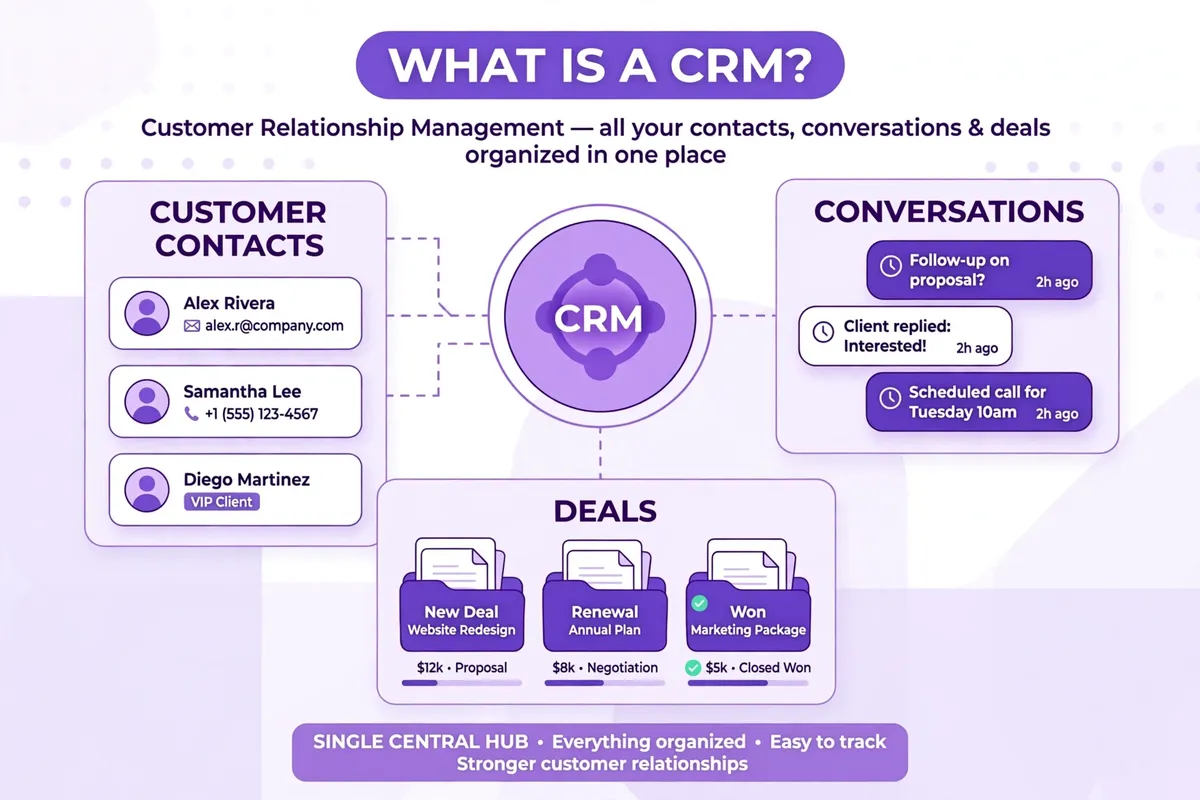
Most CRMs share the same core pieces. Contacts store names, emails, phone numbers, and company details. Deals, or opportunities, track a sale from the first enquiry to a signed order, usually on a simple pipeline board where you drag a deal from one stage to the next. Activities remind you to call, email, or meet a customer, and keep a record of what happened. Reports show how many deals you have, where they are stuck, and how much business you might close this month.
Good CRMs also connect to the tools you already use. That can mean sending email from inside the CRM, logging calls automatically, linking to your website forms, or syncing with your email marketing tool and your accounting software. Those connections save the most time, because they stop you typing the same customer details into three different systems. They also reduce mistakes, because there is one main record instead of three slightly different ones.
What a CRM is not
A CRM is not a magic way to get more customers on its own. It will not write your emails, answer your phone, or close a sale while you are away. What it does is make the work you already do more organised and more visible, so you follow up on time, you do not lose leads, and you can see which parts of your sales process are working. If your sales process is unclear, a CRM will make that clear too, which is uncomfortable but useful.
How to Choose the Best CRM Software for Small Businesses
Start with your sales process, not with a feature list. Write down, in five or six steps, how a stranger becomes a customer for your business. For many small businesses it is something like: enquiry, first call, quote, follow-up, agreement, payment, and aftercare. Any CRM you choose should make those steps easy to see and easy to move through. If a tool forces you into a process that does not fit how you sell, your team will work around it, and the CRM will slowly stop being used.
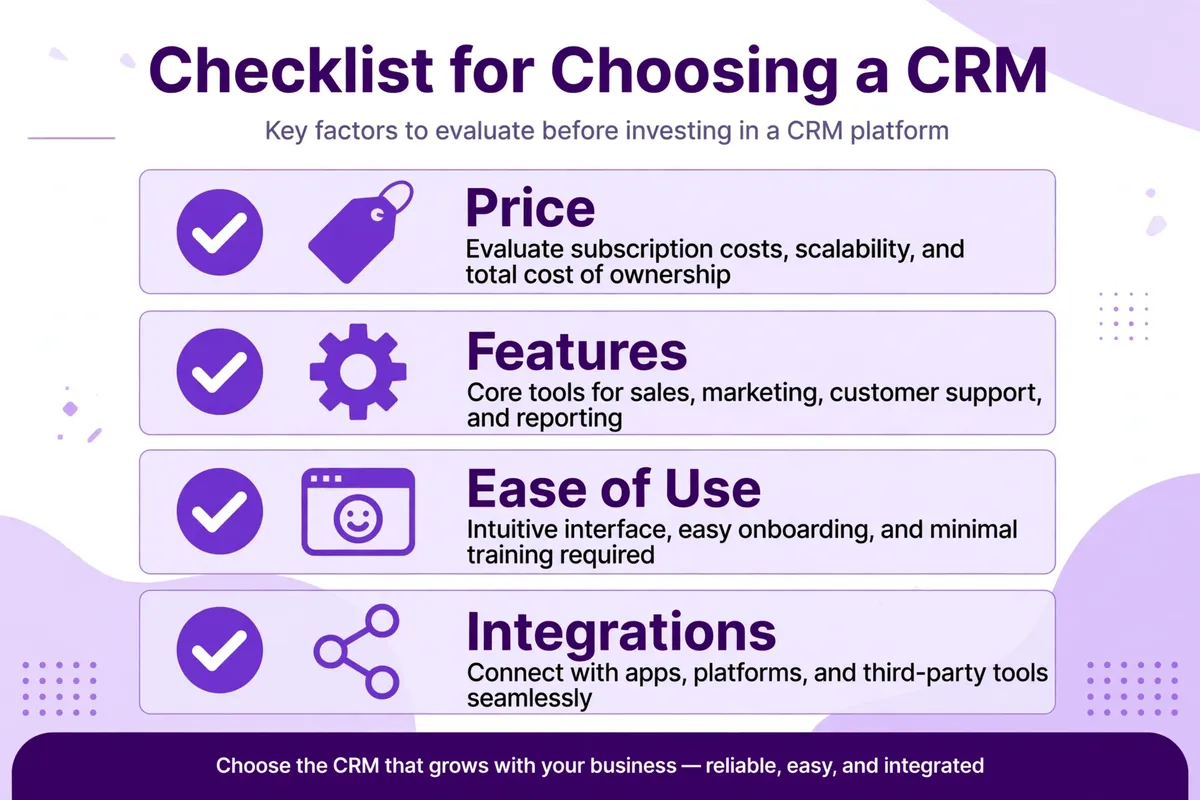
Five questions to ask before you pay
First, how many people will use it every day, and how comfortable are they with new software? A tool that is powerful but confusing will sit unused, while a simpler tool that everyone actually opens will help more. Second, what must it do on day one? Make a short list of must-haves, such as email tracking, a pipeline, or a mobile app, and a separate list of nice-to-haves. Third, what do you already use? A CRM that connects easily to your email, your website, and your accounting tool will save more time than one with a longer feature list but no good connections.
Fourth, what will it really cost in a year? Add up the price per user, per month, for the plan you actually need, not the cheapest plan, and check whether key features such as automation, reporting, or support are locked behind a higher tier. A free plan can be a great start, but check its limits on users, contacts, and deals. Fifth, how easy is it to leave? Can you export your contacts and deals in a normal file format? A good CRM lets you take your data with you, and that freedom makes it easier to choose with confidence.
Finally, try before you buy, with real data. Most of the tools in this guide offer a free plan or a free trial. Put in ten real contacts, move a few real deals through the pipeline, send a real follow-up, and check the mobile app on your phone. If the trial feels like work, the paid version will feel like work too. If it feels natural after a day or two, you have probably found a good fit. When you are learning how to choose SaaS tools for your small business, the same rule applies: test with your own work, not with a demo full of perfect sample data.
The 8 Best CRM Software for Small Businesses in 2026
Here are the eight tools, in an order that suits most small businesses. HubSpot and Zoho are the most flexible all-rounders. Pipedrive is the clearest for sales-led teams. Freshsales and Insightly suit teams that want sales and projects together. Salesforce is the most powerful, and the most expensive to run well. Monday CRM is the most visual, and Capsule is the simplest place to start. Read the short verdict for each one first, then go deeper on the two or three that fit your situation.
1. HubSpot CRM — Best Free Starting Point
HubSpot is the easiest CRM to recommend to a small business that is not sure where to start, because its free plan is genuinely useful. You can store contacts, track deals, send emails, and see a pipeline without paying anything, and the interface is clean enough that a new user can find their way around on the first day. It is also one of the best CRMs for a business that already uses HubSpot for marketing or service, because contacts, emails, and support tickets can all live in one system.
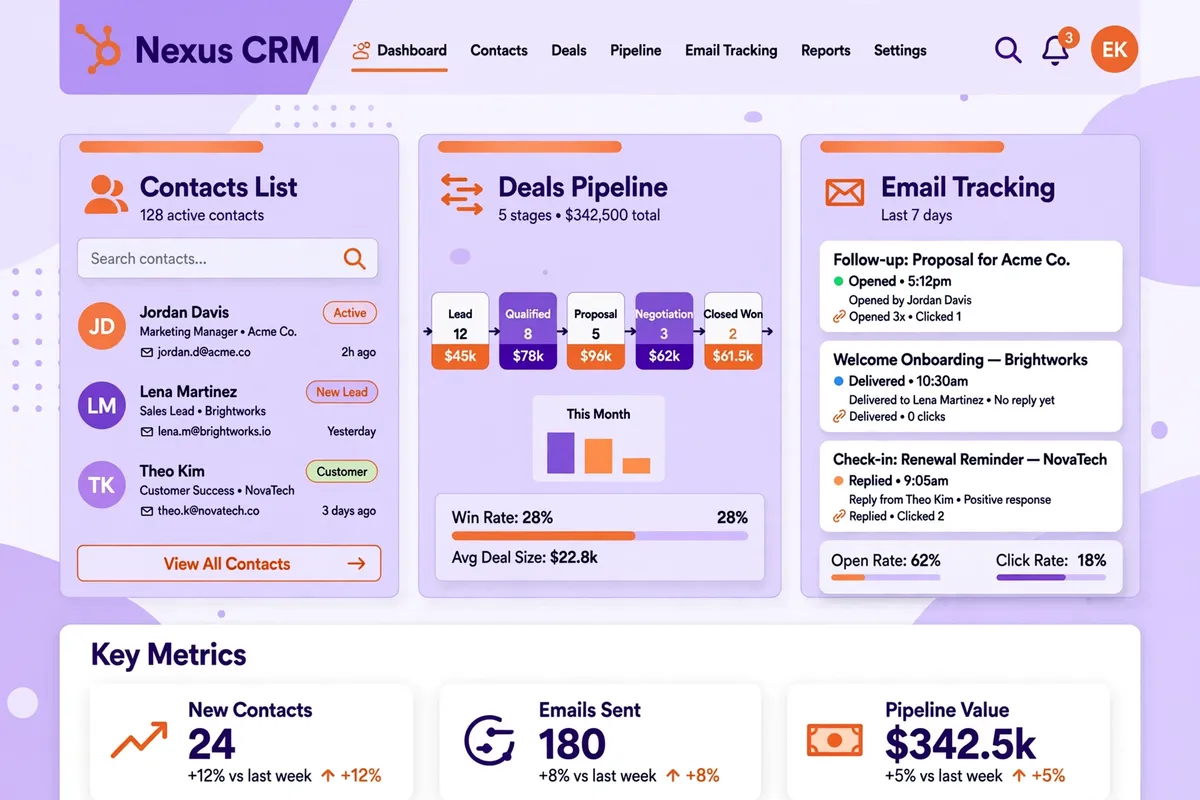
Strengths: a free plan for up to two users, a clear pipeline, email tracking and templates, good Gmail and Outlook connections, a solid mobile app, and a large library of free learning material. The paid Sales Hub adds automation, sequences, and better reporting, and it grows with you if your team grows.
Limits: costs rise quickly once you need the higher paid tiers or extra seats, and some useful features, such as advanced automation and custom reporting, are not in the cheapest paid plan. HubSpot can also feel large for a business that only needs a simple contact list and a pipeline, and you need to be careful not to turn on every HubSpot tool at once.
Pricing, verified 6 November 2026 from HubSpot’s pricing page: Free at $0 per month for up to two users. Starter was listed from $7 per seat per month on annual billing. Check the current price on HubSpot’s site before you buy, because introductory prices change.
Best for: small businesses that want a free, reliable start, and teams that plan to use marketing and sales together in one place.
2. Zoho CRM — Best Value All-Rounder
Zoho CRM gives you a lot for the price, and it is one of the most popular choices for small businesses around the world. It covers contacts, deals, email, automation, and reporting, and it connects well to other Zoho tools, such as Zoho Books for accounting and Zoho Campaigns for email marketing. If you already use Zoho for other parts of your business, that connection alone can make it the sensible choice.
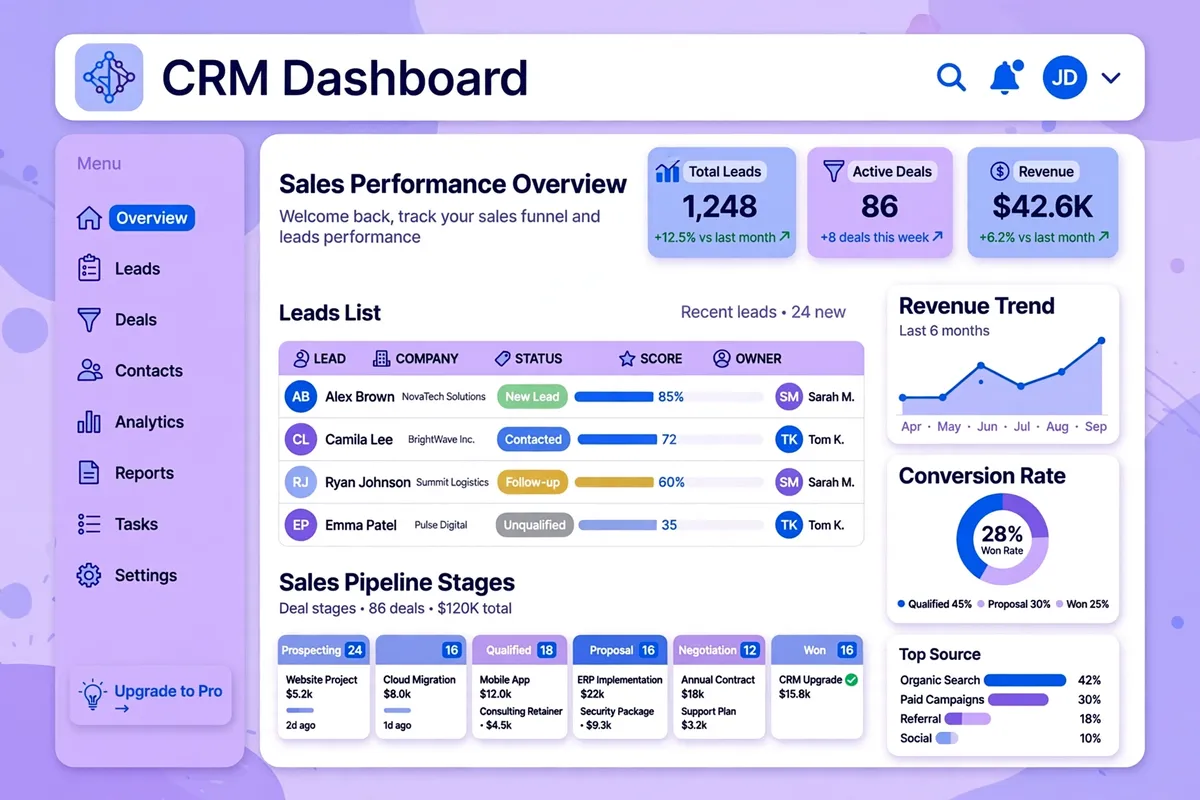
Strengths: a free plan for up to three users, strong value on the paid plans, workflow automation, a good mobile app, and a wide range of integrations. The higher plans add artificial intelligence help, territory management, and more advanced customisation, so a growing team does not need to move to a different tool quickly.
Limits: the interface can feel busy at first, especially on the lower plans, and setting up automation takes a little learning. Some users find support slower than they would like on the cheaper plans, and the sheer number of Zoho products can make it hard to know which one you need.
Pricing, verified 6 November 2026 from Zoho’s pricing page: Free for up to three users. Standard $14 per user per month, Professional $23, Enterprise $40, and Ultimate $52, all on annual billing. Those prices were listed in US dollars on Zoho’s site.
Best for: small businesses that want a full-featured CRM at a fair price, especially those already using Zoho tools.
3. Pipedrive — Best for Sales-Led Small Teams
Pipedrive was built around one idea: a salesperson should be able to see, at a glance, what to do next. Its pipeline is visual and easy to use, you drag deals from one stage to the next, and the tool tells you which deals need attention. If your main problem is following up with leads and closing deals on time, rather than managing a large marketing database, Pipedrive is often the clearest choice.
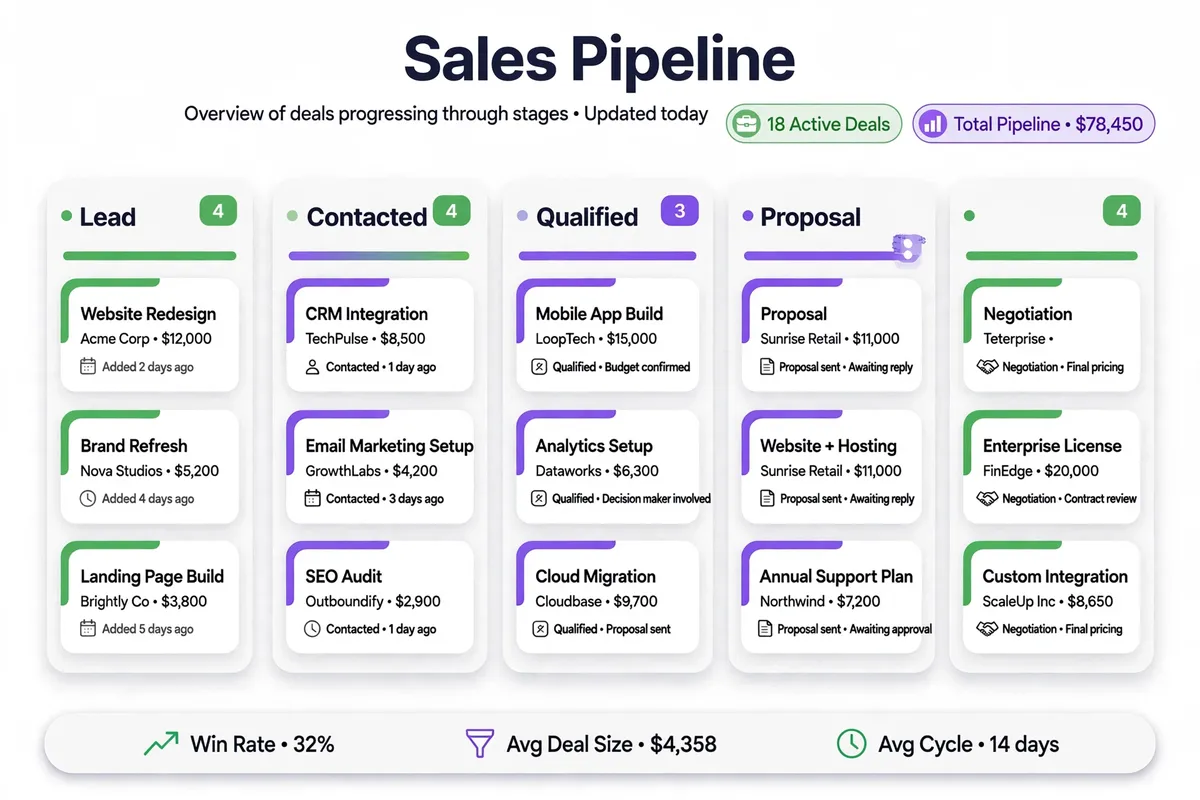
Strengths: a very clear pipeline, easy deal tracking, email sync and tracking, good activity reminders, and a wide range of add-ons for lead generation, calling, and reporting. It is quick to set up, and most teams can start using it without a long training session.
Limits: there is no free plan, only a 14-day trial, and marketing features are more limited than in HubSpot or Zoho unless you buy add-ons. Reporting on the cheapest plan is basic, and costs can add up if you need several add-ons for the same job.
Pricing, verified 6 November 2026 from Pipedrive’s pricing page: Lite $14 per seat per month, Growth $24, Premium $49, and Ultimate $69, all on annual billing, with a 14-day free trial.
Best for: small sales teams that live in their pipeline and want a simple, visual way to close more deals.
4. Freshsales — Best for Simple Sales and Built-In Phone and Email
Freshsales, from Freshworks, is a friendly CRM for small teams that want sales, email, and phone in one place without a lot of setup. You can call a lead from inside the CRM, send a tracked email, and see the whole conversation in the contact’s timeline. It is less well known than HubSpot or Salesforce, but it is a strong choice for a team that wants a clean, modern tool at a low starting price.
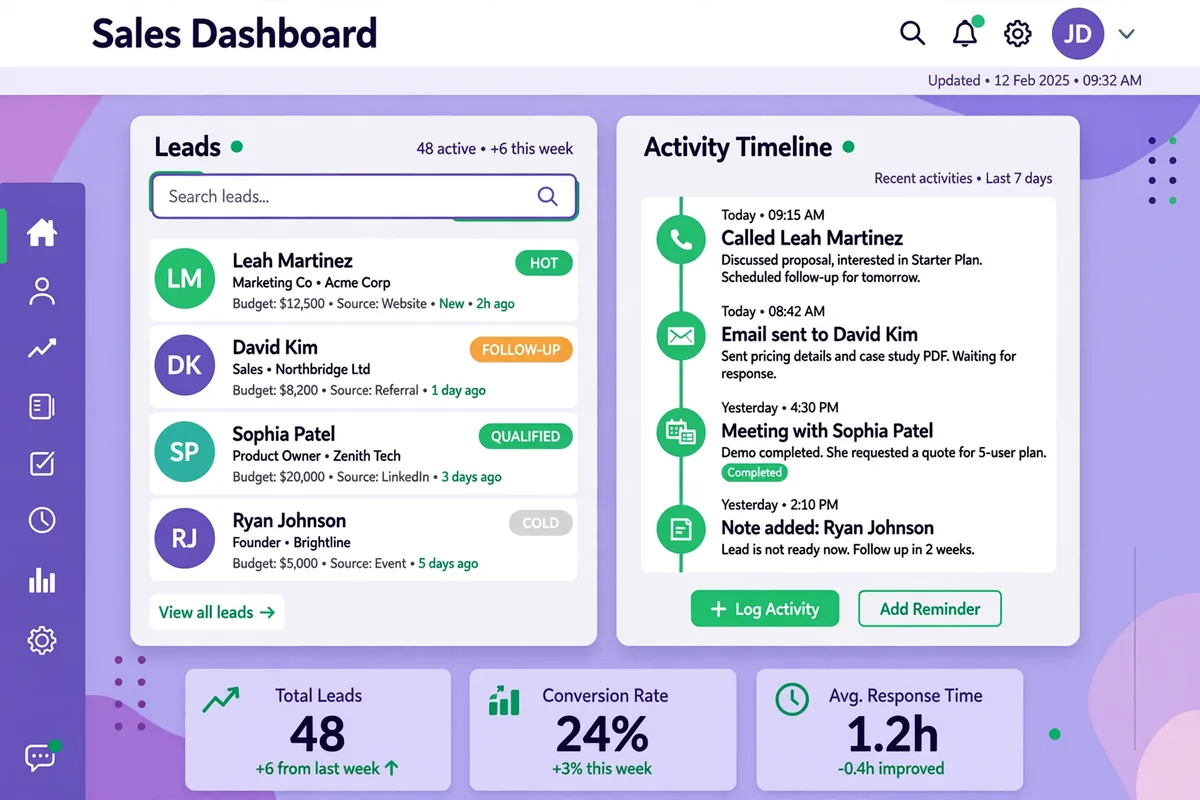
Strengths: built-in phone and email, a clear visual pipeline, good contact timelines, and helpful automation on the higher plans. The interface is modern and easy to learn, and Freshworks also offers other tools, such as Freshdesk for support, that connect to the same customer record.
Limits: the cheapest paid plan is quite basic, and you need the Pro plan for much of the automation and reporting. The free plan that Freshsales once offered was not listed on its pricing page when I checked, so do not plan around a free tier. Some integrations are less deep than those for HubSpot or Salesforce.
Pricing, verified 6 November 2026 from Freshworks’ pricing page: Growth $9 per user per month, Pro $39, and Enterprise $59, all on annual billing, with a 21-day free trial.
Best for: small teams that want phone, email, and sales in one simple tool, and that like Freshworks’ other products.
5. Salesforce — Most Powerful, and Most to Manage
Salesforce is the biggest name in CRM, and for good reason. It can do almost anything a business might need, from sales and service to marketing and analytics, and it has an enormous marketplace of add-ons. The version most small businesses should look at first is the Starter Suite, which is Salesforce’s small-business starting point. The old name Salesforce Essentials is no longer used for new sign-ups, so look for Starter Suite on Salesforce’s site.
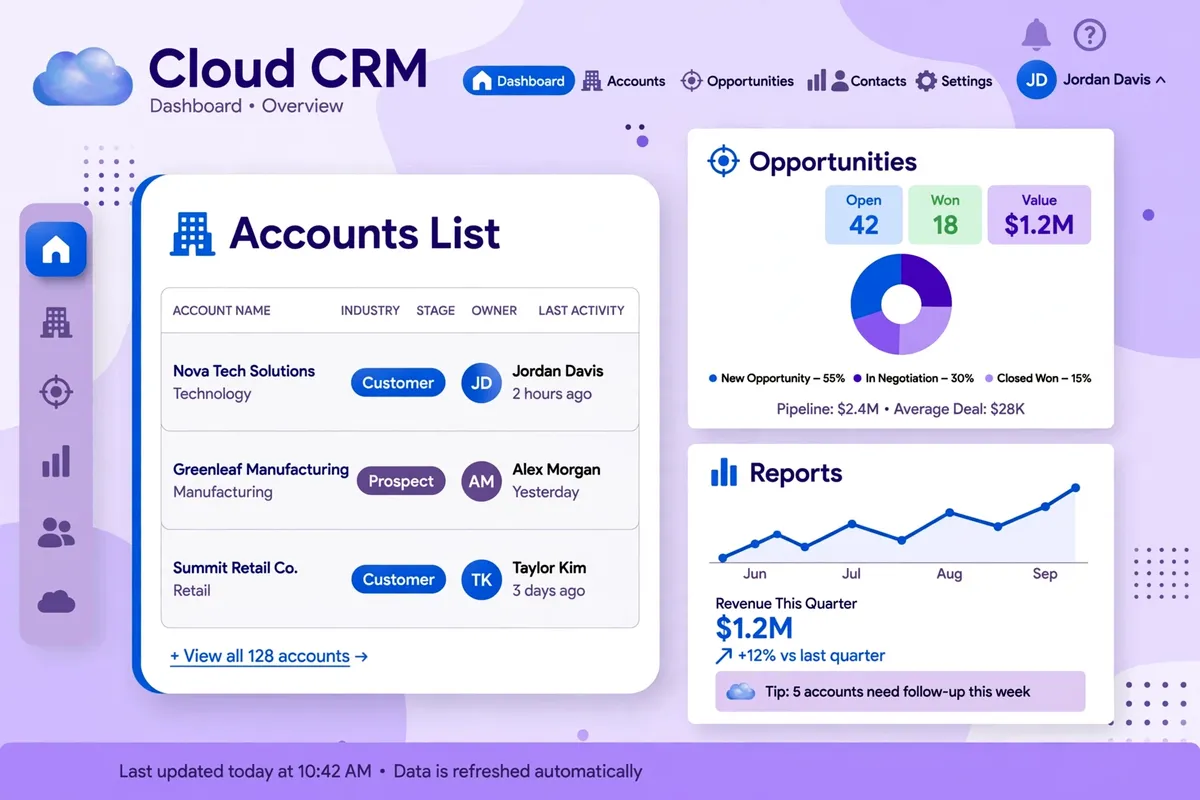
Strengths: unmatched depth, strong reporting, a huge integration marketplace, and room to grow into a much larger system without changing CRM. If you work with large customers, or you plan to grow quickly into a larger sales team, Salesforce will not hold you back.
Limits: it is the most complex tool in this list to set up and to run well, and costs rise fast once you need the Pro Suite or add-ons, training, or an administrator. For a team of two or three people who just need a pipeline and follow-up reminders, Salesforce can be more tool than you need, and the time spent managing it can outweigh the benefits.
Pricing, verified 6 November 2026 from Salesforce’s pricing page: Starter Suite $25 per user per month on annual billing, Pro Suite $100, and higher suites from there. Check Salesforce’s site for current pricing, because it changes by edition and by promotion.
Best for: small businesses that are growing fast, sell to larger customers, or know they will need a deep, customisable CRM in the next year or two.
6. Monday CRM — Best Visual Boards for Small Teams
Monday CRM is built on Monday’s work management platform, so it feels more like a colourful board than a traditional database. You can see deals, contacts, and tasks on boards that your whole team can understand at a glance, and you can change the columns to match how you work. If your team already uses Monday for projects, adding its CRM can feel natural, because the interface and the way you work stay the same.
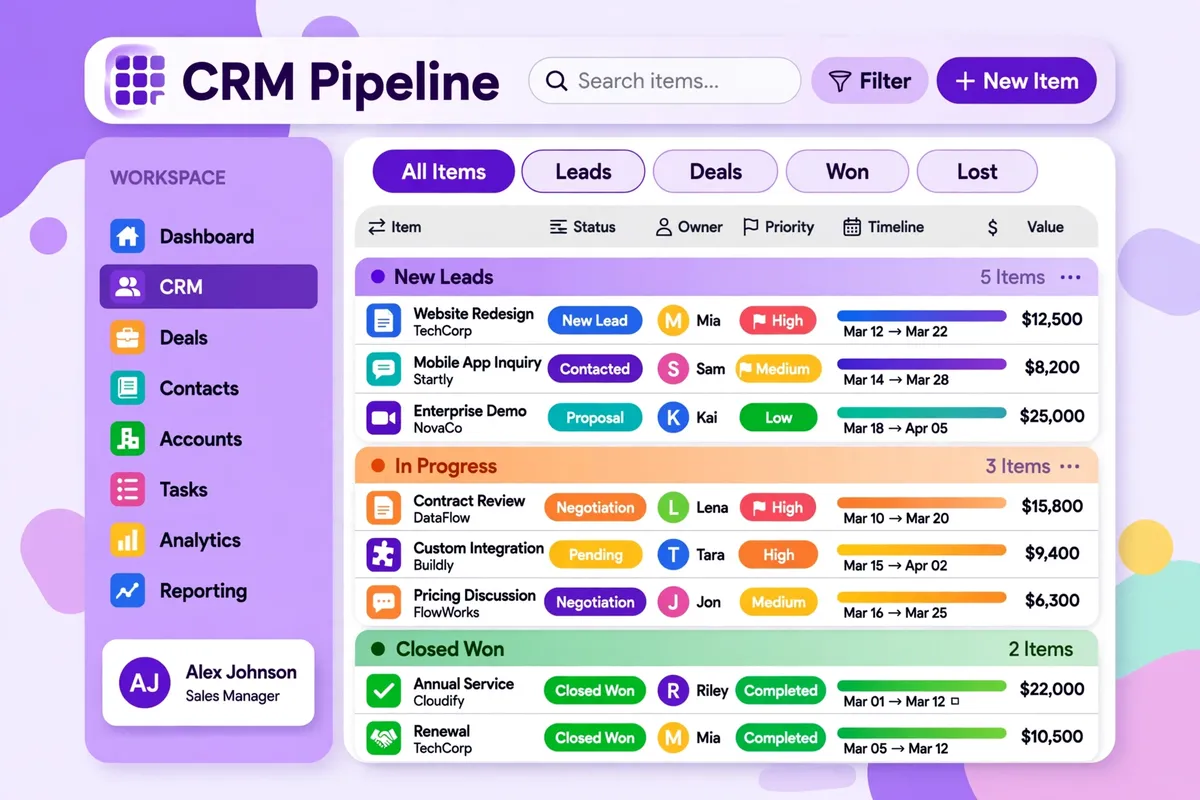
Strengths: very visual boards, easy customisation, good automation, and strong team collaboration. It is easy to track a deal, a project, and a task in the same place, which suits service businesses that sell a project and then deliver it.
Limits: it is priced per seat with a minimum of three seats, so a one-person business pays for more than it needs. Email and sales features are good but not as deep as a dedicated sales CRM, and the cost can grow as you add seats and features.
Pricing, verified 6 November 2026 from Monday’s pricing page: Basic $12 per seat per month, Standard $17, and Pro $28, all on annual billing, with a minimum of three seats and a 14-day free trial.
Best for: visual teams of three or more that want sales and project work on the same boards.
7. Capsule CRM — Simplest CRM to Start With
Capsule is the quiet, simple option in this list, and for some small businesses that is exactly what they need. It keeps contacts, deals, and tasks in a clean, uncluttered view, without asking you to learn a large system first. If you have ever opened a CRM, felt overwhelmed, and closed it again, Capsule is worth a look.
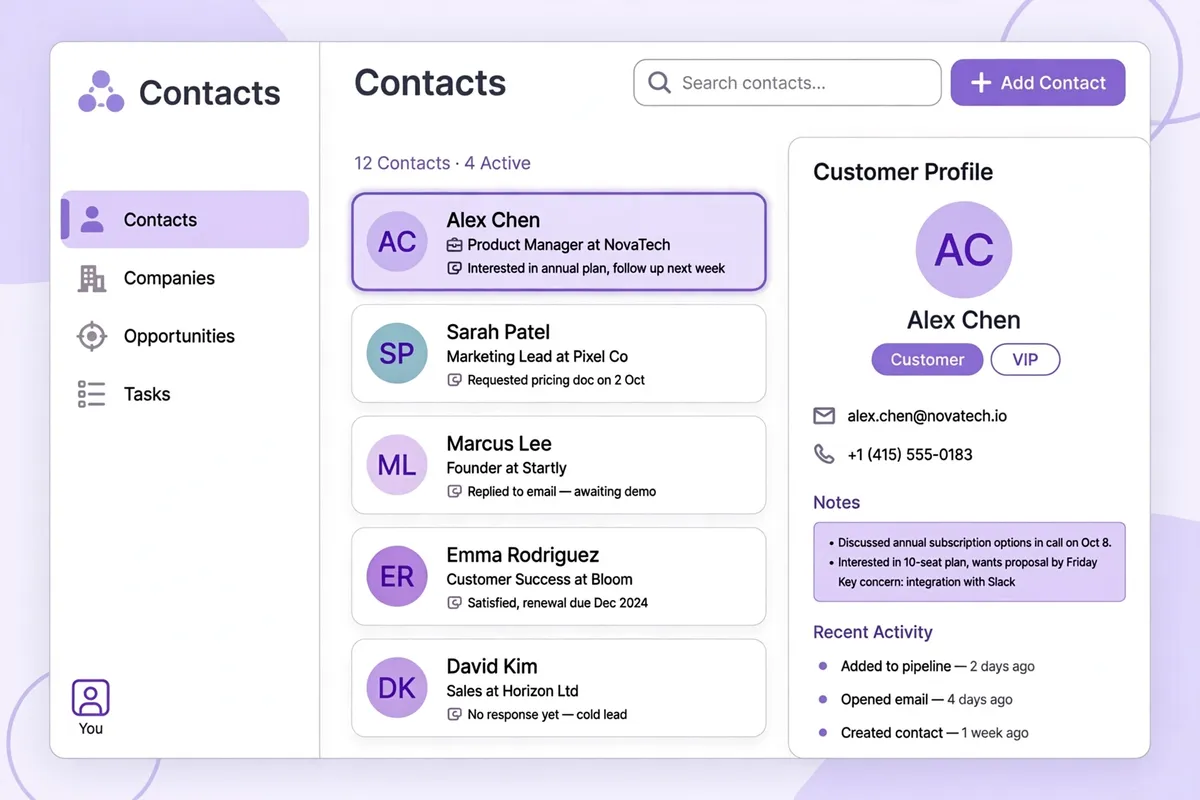
Strengths: a free plan for up to two users and 250 contacts, a very simple interface, good contact and task management, and useful integrations with Google Workspace, Mailchimp, and accounting tools. It is quick to set up, and a new team member can learn it in an afternoon.
Limits: it has fewer sales automation and reporting features than HubSpot, Zoho, or Pipedrive, and it is not the best choice for a large sales team with complex pipelines. If you need deep marketing automation or advanced forecasting, you will outgrow Capsule sooner than the larger tools in this list.
Pricing, checked 6 November 2026 from Capsule’s pricing page: a free plan for up to two users and 250 contacts, with paid Starter, Growth, and Advanced plans and a 14-day free trial. I could not verify the current paid prices clearly from Capsule’s pricing page on the day I checked, because the page did not show them in plain text, so check Capsule’s site for the current price before you decide.
Best for: very small teams and one-person businesses that want a simple, tidy CRM and do not need complex automation yet.
8. Insightly CRM — Best for Sales Plus Projects
Insightly is a good fit for a small business that sells a project and then has to deliver it. It combines a CRM with project management, so a deal can turn into a project with tasks, milestones, and deadlines, without moving to a separate tool. That link between sales and delivery is where many small service businesses lose track of work, and Insightly is built to close that gap.
Strengths: sales and project management in one tool, a clear pipeline, workflow automation, and a marketing add-on if you need email campaigns. It works well for agencies, consultants, and service businesses that manage a job from quote to delivery.
Limits: the interface feels less modern than HubSpot or Monday, and the learning curve is steeper than Capsule or Pipedrive. The cheapest plan is basic, and you need the higher plans for much of the automation and reporting.
Pricing, verified 6 November 2026 from Insightly’s pricing page: Plus $29 per user per month, Professional $49, and Enterprise $99, all on annual billing, with a 14-day free trial.
Best for: service businesses, agencies, and consultants that want sales and project delivery in one CRM.
Quick Comparison: Which CRM Fits Your Business?
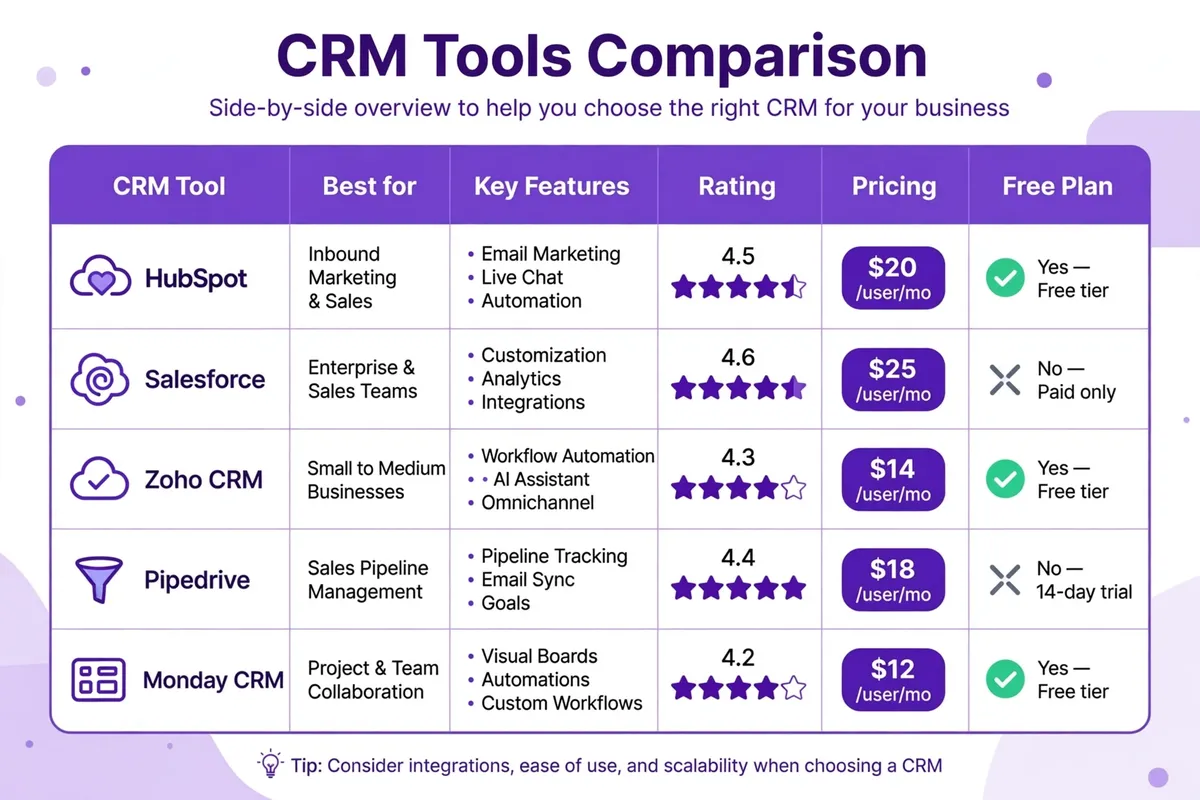
On price, the cheapest paid starting points in this guide, as verified on 6 November 2026, were Freshsales Growth at $9 per user per month, Monday Basic at $12 per seat per month, Zoho Standard at $14, and Pipedrive Lite at $14. HubSpot’s free plan and Zoho’s free plan are the best free options for a very small team. Remember that the cheapest plan is not always the cheapest choice in a year, because you may need a higher plan for automation, reporting, or support. Add up the cost for the plan you actually need, for the number of people who will use it.
On ease of use, Capsule and Pipedrive are the simplest, HubSpot and Freshsales are close behind, and Salesforce is the hardest to set up well. On flexibility, Zoho and Salesforce offer the most, and HubSpot offers the most if you also want marketing and service in the same system. The right choice is the one your team will actually use every day, not the one with the longest list of features on a comparison page. If you are still building your online presence, it also helps to create a business website that loads fast, so the leads your CRM tracks come from a site that works well on a phone.
How to Move to a New CRM Without Losing Your Contacts
Moving to a CRM is easier if you do it in small steps. First, clean your current list: remove duplicates, fix obvious errors, and delete contacts you have not spoken to in years and do not need. A clean import is faster than a messy one, and it makes the new CRM easier to trust. Second, export your contacts and deals as a spreadsheet file, and check that the columns match the new CRM’s import template. Most CRMs have a clear import guide, and many offer a free import service on a trial.
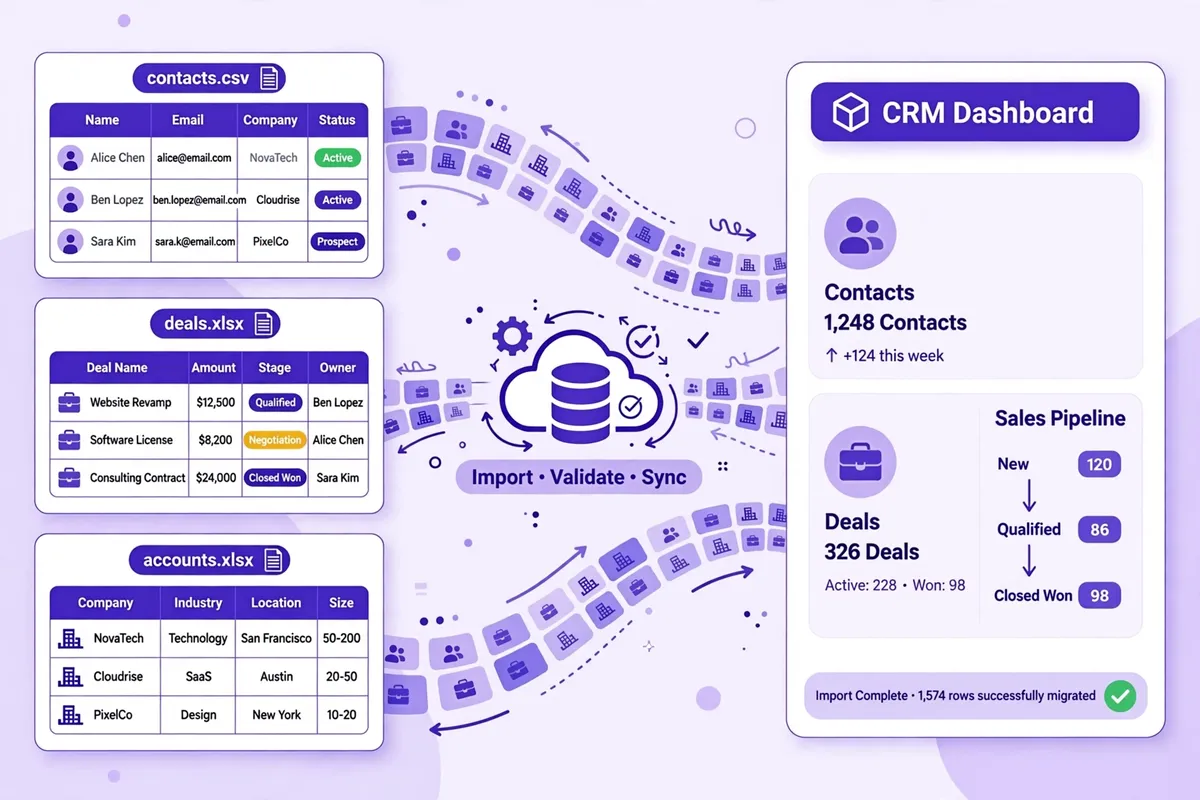
Finally, give the new tool two weeks of real use before you judge it. The first few days will feel slower, because you are learning. After two weeks, ask your team what is working and what is getting in the way, and fix the small things, such as a missing pipeline stage or a confusing field. If you want to save time across your business as you grow, read our guide on how to automate your small business with SaaS tools, and if you want to stay in touch with the leads your CRM collects, learn how to grow your email list from scratch. For a wider look at tools beyond CRM, see our round-up of the best SaaS tools for small businesses.
Conclusion: Start Free, Test With Real Work, Then Commit
The best CRM software for small businesses in 2026 is the one that fits your sales process, your team, and your budget, and that your team will actually use. For most small businesses, that shortlist will be HubSpot for a free start, Zoho for value, and Pipedrive for a clear sales pipeline. Capsule is the simplest start, Freshsales is a good low-cost all-rounder, Insightly and Monday suit teams that also manage projects, and Salesforce is the right choice when you are growing fast and need the most power.
Pick two or three tools from this guide, try them with real contacts and real deals, and choose the best CRM software for small businesses for your team — the one that feels natural after a few days. Check the current price on the vendor’s site, because prices change, and do not pay for a higher plan until you know you need its features. A CRM will not sell for you, but a good one will help you follow up on time, see your pipeline clearly, and turn more enquiries into customers. Start small, use it every day, and let it grow with your business.